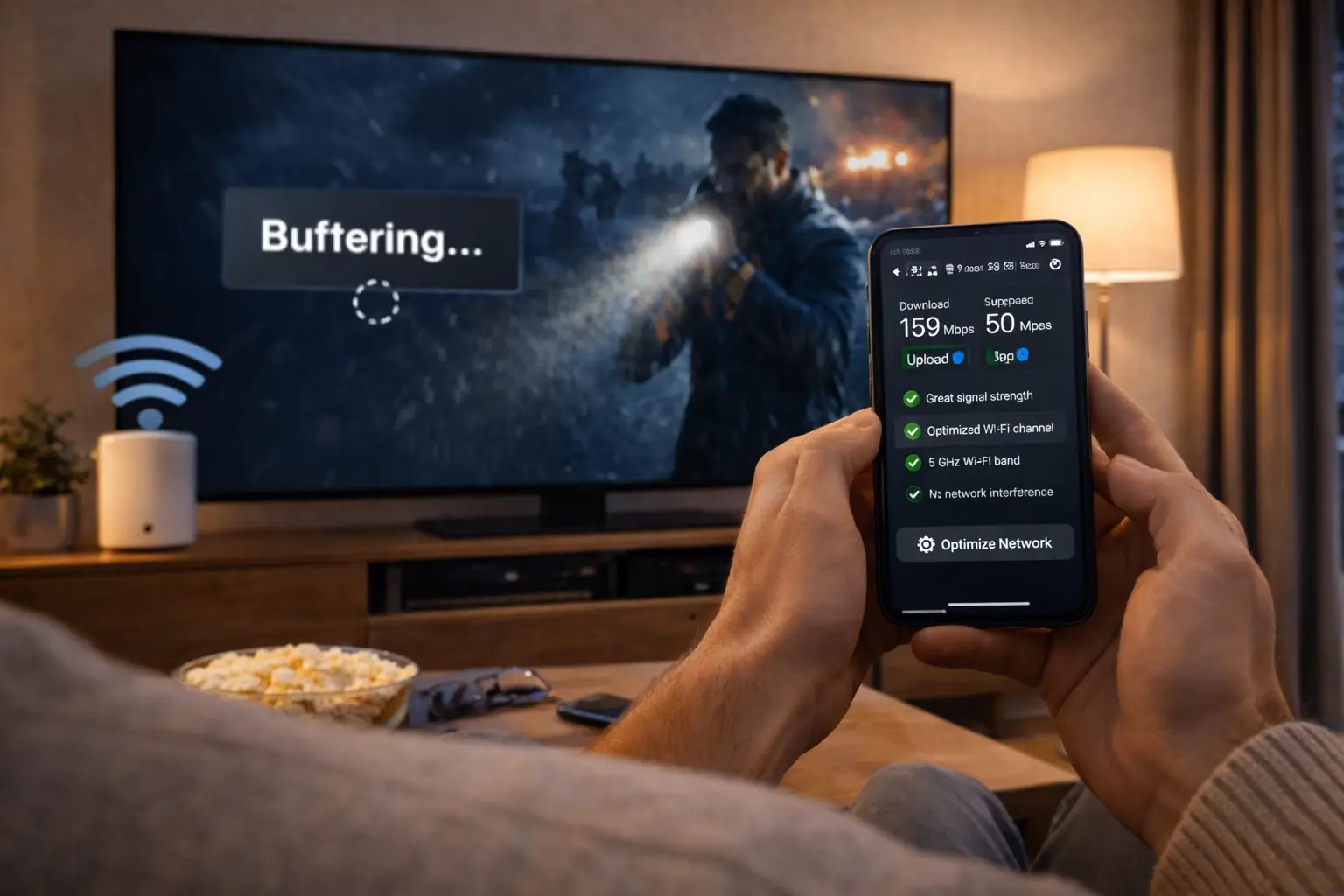
Here is how to contact Northline IPTV. The same team answers every channel, 7 days a week, in English and French. You can write before you order, during setup or when something stops working. What this means for you: you never need to guess which address is the right one, and you never need to wait for a particular day to ask.
Ways to contact us
Three ways in, one team behind them. Pick the one that suits where you are and what you need.
Best for longer questions, photos of the screen and anything you want in writing. Our address and the form are at the bottom of this page.
+33 6 44 65 43 13. Handy when you are in front of the TV and want to go step by step.
7 days a week
We answer every day of the week, weekends included.
English and French
Write in either language. We reply in the one you used.
Our WhatsApp number is in an international format. It works from a Canadian phone like any other WhatsApp chat, with nothing to set up. Save it in your contacts as “Northline support” now, so you can find it on the evening you need it.
If your question is about a problem, our help centre may solve it right away, because it sorts the common issues by symptom. For a general view of how we work, read the support page or learn about Northline IPTV.
Which channel suits which question
Every channel reaches the same people and gets the same care. The difference is practical: how long your message is, where you are sitting, and whether you need to send a picture. This table helps you choose.
| Your question | Best channel | Why |
|---|---|---|
| Which pack suits my home | E-mail or the form | You can describe your screens and habits in full, and keep the answer |
| Is a specific language available | E-mail or the form | You get a written answer before you order |
| My access e-mail has not arrived | E-mail from your order address | We can match your address to your order straight away |
| I am setting up the player now | Short messages back and forth while you hold the remote | |
| The player shows an error | WhatsApp or e-mail | Both take a photo of the screen |
| I need more screens at once | E-mail or the form | The conditions and price come back in writing |
Please choose one channel per question. If you send the same message by e-mail and on WhatsApp, two people may pick it up at once, and you end up following two threads that say slightly different things. If you need to switch channel halfway, say so in your first line and mention the earlier conversation.
What this means for you: there is no wrong door. If you pick the less convenient channel for your question, we still answer, and we may simply suggest the other one for the next step.
Using the form at the bottom of this page
The form is the simplest option if you do not want to open your mail app or WhatsApp. Fill in the address where you want the reply, then write your message as you would an e-mail. Use the address you ordered with if you are already a customer, so we can find your order without asking. Check that address carefully before sending: a single typo means our reply goes somewhere you will never see it.
What to include when you contact us
The first message decides how many messages follow. A vague one needs a round of questions before anyone can help; a precise one can often be answered in a single reply. These five items make the difference.
- The e-mail address you used to order, if you are already a customer.
- Your device, for example a smart TV, an Android TV box, a Fire TV Stick, an Apple TV, a phone or a PC, with the model if you know it.
- Your player app, for example IPTV Smarters Pro or TiviMate.
- The exact error message, copied word for word, or a photo of the screen.
- What you already tried, and when the problem started.
An example of a first message we can usually answer in one reply. Never include your password.
The “when” matters more than most people think. “Since the TV updated this morning” points straight to the cause. “Since we changed internet provider” points somewhere else entirely. If you do not know, say so: an honest “not sure” is more useful than a guess.
The model of your device matters too. Two televisions from the same brand can have very different menus. The model is usually on a label at the back of the TV or under the box, or in the device settings under “about”. A photo of the label works just as well.
If you are not a customer yet, you do not need any of the technical details. Tell us what screen you watch on, roughly how fast your internet is if you know it, and what you want to watch. That is enough for a useful first answer.
Sending a photo of the screen
A photo of an error often tells us more than a paragraph of description. It shows the exact wording, the player version and the menu you are in. A few habits make the photo useful and keep your details safe.

How to take a useful photo
- Stand straight in front of the TV, not at an angle.
- Turn off the flash to avoid glare on the screen.
- Include the whole message, not just part of it.
- Check that no password is visible before sending.
- Send it in the same thread as your description.
On WhatsApp, attach the photo directly to the chat. By e-mail, attach it to your message rather than pasting it into the body, so it keeps its quality. If you use the form, describe the screen in words and tell us you have a photo; we reply with a way to send it.
Screenshots taken on a phone or tablet work too. If the problem is on a phone, a screenshot of the player is even better than a photo, because it is perfectly sharp.
One caution: people sometimes take a photo of the login screen to show a typing problem. If the password box is filled in and visible, cover it or take the photo before typing the password. We never need your password to help you, and a photo can travel further than you intend.
What happens after you contact us
We reply in the same thread, in the language you wrote in. Here is the usual shape of the exchange, so you know what to expect at each step.
- Your message
We read it in full
We look at your device, your player and the symptom before replying, so the first answer is aimed at your case.
- Before replying
We check your access
If you are a customer, we confirm whether your login is active, whether it has reached its end date and whether a stream is already running on it.
- First reply
An answer or precise questions
Either the steps to follow, in order, or one or two specific questions we need answered first.
- Your reply
You tell us the result
Even “no change” helps: it rules something out.
- Settled
Fixed, or the right contact named
If the cause is ours, we fix it. If it sits elsewhere, we tell you who to ask and what to say.
If we need more details, we ask precise questions rather than general ones. “Which player are you using?” is a question we try never to ask twice. If the fix is on your side, we explain each step plainly. If it is on ours, we say so and keep you informed until it is settled. What this means for you: one conversation, from the first message to the answer.
We do not publish a promised reply time, because it would be a figure we could not always keep. What we do promise is that we read every message, answer the question you asked and stay in the thread until it is settled or we have named who can settle it.
If a reply seems slow
Check your spam and promotions folders first, because replies sometimes land there, especially the first one. On WhatsApp, check that your message shows as delivered. Then send a short follow-up in the same thread rather than a new message, so it stays attached to the history. Avoid writing on a second channel at the same time; it splits the conversation in two.
Contact us before you order
You are welcome to write before you buy. Many people do, and it is the best way to find out whether the service suits your home before you spend anything. Here are the questions we answer most often at this stage.
Tell us your main screen, whether it is 4K, and whether you watch more live TV, series or films.
Then: we suggest a pack and explain whyThe catalogue includes French-language and international content. We will not guess about anything more specific.
Then: ask us before orderingGive us the model of your TV, box or stick.
Then: we tell you which supported player runs on itRun a speed test at the screen in the evening and send us the figure.
Then: we compare it with the speed each quality needsEach pack includes 1 simultaneous connection.
Then: we explain the conditions and the price for more screensPlans run for 1, 3, 6 or 12 months, paid once, with no renewal.
Then: we help you weigh a short test against a longer planFor speed, the figures we use are 10 Mbps for HD, 15 Mbps for Full HD and 25 Mbps for 4K, steady at the screen. If support sets up extra simultaneous screens for your home, add the figures together and leave room for everyone else on the same line.
What we will not promise before you order
We answer every pre-order question honestly, and sometimes that means saying “we cannot confirm that”. We will not promise a specific language or programme we have not checked. We will not promise a picture on a device we do not support. We will not promise a quality your line cannot carry. In each case, we tell you what we do know and leave the decision with you, which is better than a quick yes you discover was wrong after paying.
The Premium Pack is a good starting point to compare: 20,000+ channels, 24,000+ series and 100,000+ movies. The VIP Premium Pack has the largest series library, and the Ultimate 4K Pack is built around 57,000+ 4K channels. You can see current prices on the plans page; we do not quote amounts by message, so the page is always the reference.
Contact us during setup
The first evening is when most people write, and WhatsApp is usually the easiest way to do it. You hold the remote, we send one step at a time, and you reply with what you see. Here is how to make that session go smoothly.
- Have your access e-mail open. On a phone or laptop next to the TV, with the server URL, username and password visible to you, never in the chat.
- Install the player first. From your device’s official app store. Tell us which one you chose and on which device.
- Tell us where you are. Describe the screen you see, or send a photo. “I am on the add-user screen” saves several messages.
- Do one step at a time. Wait for the result of each step before moving to the next, and tell us what happened.
- Finish with a test. Play one live channel. If it plays, mark a few favourites and you are done.
Our setup guides cover the same ground if you prefer to try on your own first. The Xtream Codes setup page explains the three login fields and the usual typing errors. The M3U playlist setup page covers players that accept only a link. The TV guide setup page fixes guide times for your time zone.
We are independent from the companies that publish player apps. We help you set them up, but we cannot sell or activate their licences. If a player asks for a licence, check the current price on the app’s official website.
Setting up several devices
If you want the login on more than one device in your home, set up the main screen first and make sure a channel plays. Then move to the next device, one at a time. The same details work on each of them. Remember that only one should play at any given moment, because each pack includes 1 simultaneous connection. When you test the second device, stop playback on the first one before you start.
Prefer to set up on your own first
Our setup guide walks through the first login on each kind of device, from order to first channel.
Contact us when something stops
If the service worked and has stopped, a few quick checks often fix it before you write, and they give us useful information if you do. You never need to finish every check before contacting us.
Restart properly. Turn the device off at the plug for a moment, not just to standby, and restart the router. Wait until the internet light is steady before testing again.
Close other screens. Each pack includes 1 simultaneous connection. A tablet left playing in another room, or a phone that resumed a stream, can stop the screen you are trying to use. Close the player on every other device and try one screen alone.
Check the end date. Renewals are never automatic. If your plan reached its end date, access stops on that day, and the player usually shows an expired message.
Try a second channel. If one channel fails and others play, tell us which one. If nothing plays, say so; it points to a different cause.
For step-by-step help with a specific symptom, read the buffering guide, the page on IPTV that can’t connect or the black screen guide.
Contact us about picture quality
When the login works but the picture is not what you hoped for, the conversation is about your line and your screen more than your account. A few numbers help us answer quickly.
Steady speed needed at one screen
Before you write, run a speed test on the screen that has the problem, or on a phone held right next to it on the same Wi-Fi. Do it at the hour you usually watch, because evening speeds are often lower than daytime ones. Send us the figure along with the quality you are trying to watch in.
Tell us how the device connects: Wi-Fi or a cable, and if Wi-Fi, roughly how far the TV sits from the router and how many walls are in between. A 5 GHz connection close to the router usually holds a better picture than 2.4 GHz from the far end of the house. If you can, try once with a cable or with the TV nearer the router, and tell us whether anything changed.
Also tell us whether other people in the home were online at the same time, and whether another screen was playing. Each pack includes 1 simultaneous connection, and a second stream can cut the first; but even without a second stream, a large family upload or a game update can take a big share of the line.
What this means for you: with the speed figure, the connection type and the time of day, we can usually tell you in one reply whether the fix is a setting, a cable or a conversation with your internet provider. Our page on 4K quality and bandwidth explains the speed figures in more depth.
Contact us at the end of a plan
Every plan is a one-time payment with no automatic renewal and no contract. The end of a plan is therefore quiet by design, but people still write with questions about it. Here is what happens and when to contact us.
| At the end date | What happens | When to contact us |
|---|---|---|
| Access | Stops on the end date | If it stopped earlier than you expected |
| Payment | No charge | Never needed: nothing renews |
| Player profile | Stays on the device, shows an expired message | If you order again and are unsure whether details change |
| Ordering again | You choose a pack and duration again | If you want help choosing |
| Changing pack | Possible with a new order | Tell us your current pack and the one you want |
If you order again, ask us whether your details change. If anything changes, we tell you by e-mail and you update the fields in each player. If nothing changes, your existing profiles start working again once the new plan is active.
To avoid a gap, note the end date in your phone calendar when you order and set a reminder a few days ahead. The 12-month subscription guide explains when a longer duration saves you from deciding again too often, and the 1-month subscription guide covers the case for a short plan.
If access stops before the date you expected, contact us from your order e-mail with the date you think the plan should end. We check the order on our side and tell you what we see. Often the explanation is simple: a different duration was picked at checkout, or the plan started on the day of payment rather than on the day the player was first set up. Either way, you get a clear answer in writing.
Contacting us for someone else in your home
The person who places the order is not always the person who watches most. A parent sets up the TV for a teenager; an adult handles the order for a relative who lives with them. That is exactly what a household login is for, and support works the same way.
Write from the order e-mail, or include it. Even when you are asking on behalf of someone else in the home, the order e-mail is how we find the account. Then describe what the other person sees on their screen, or ask them for a photo of it.
If the person watching is less comfortable with technology, it often helps to do the first setup together, with you holding the phone and them holding the remote. They see where the settings are, and next time they can send us a photo themselves.
Your login is for your household only. Helping someone under your own roof is what it is meant for. Giving it to a relative in another home is not allowed, and with 1 simultaneous connection per pack it interrupts your own viewing whenever they watch. If a relative elsewhere wants the service, they can contact us themselves and order their own pack; we are happy to answer their questions first.
What this means for you: one person can manage the order for the whole home, and anyone in the home can write to us, as long as the order e-mail is in the message.
Getting the most from one exchange
Most conversations that drag on do so for the same few reasons. Avoiding them is easy once you know them.
- Write one message with everything, rather than several short ones in a row.
- Reply in the same thread instead of starting a new one each time.
- Tell us the result of each step, even when it is “no change”.
- Change one thing at a time, so we both know which change made the difference.
- Mention anything that changed at home recently: a new router, a move, an update.
Deep dive: why “no change” is a useful answer
When you try a step and nothing improves, it is tempting to stay silent or to try something else on your own. But “no change” is information. It tells us the cause is not the thing we just tested, and it lets us move to the next most likely cause straight away. A reply of two words keeps the thread moving; silence leaves it waiting, and the next message has to start by asking what happened.
A short first message is better than none, but a complete one is better still. If you are in a hurry, send what you have and add the rest when you can, in the same thread. We will start on what we have.
Requests only support can answer
Some questions are not problems to fix but decisions that depend on your case. These always go through us, and the answer comes back in writing.
More screens at the same moment
Each pack includes 1 simultaneous connection. You can enter the same login on several devices in your home and play on one at a time. If two or more screens need to play together, contact us with the number of screens. We give you the conditions and the price for your case. There is no menu option for this on the site, on purpose: we would rather understand your home first.
A specific language. The catalogue includes French-language and international content. For anything more specific, ask before ordering, and we tell you what we can confirm and what we cannot.
Changing pack. If your needs change during a plan, for instance after buying a 4K television, write with your current pack and the one you want. We explain the options for your order.
Your end date. If you are not sure when your plan ends, ask us from your order e-mail. Nothing renews automatically, so knowing the date lets you decide calmly whether to order again.
A lost login. Write from the e-mail address you used to order, and we resend your server URL, username and password, or your M3U link, to that address.
A channel that does not play. If one channel fails while the others work, tell us the name of the channel as it appears in your player, the category it sits in and the time you tried it. We check it on our side and tell you what we find.
Contact us about a missing access e-mail
Your access is e-mailed within minutes of your order. If it has not arrived, it is almost always sitting in another folder or was sent to a slightly different address than you expected. Here is what to check, and when to write.
Before you write
- Look in spam, junk and promotions folders.
- Search the whole mailbox for “Northline”.
- Check the address you typed at checkout for a typo.
- Confirm the payment went through on your card or PayPal account.
If the e-mail is still missing after those checks, contact us from the address you ordered with, or give us that address in your message along with the name on the order. We find your order and resend your details to the address on file.
We do not send access details to a different address because someone asks in a chat. If you made a typo in your e-mail at checkout, explain that in your message, and we find a safe way to confirm the order is yours before sending anything. Our page on how activation works explains the full path from payment to access e-mail.
One more cause is worth knowing: some workplace and school mailboxes filter messages from addresses they do not recognise, and the access e-mail may never reach the inbox at all. If you ordered with an address like that, tell us, and consider using a personal address for future orders. It also makes it easier to find the e-mail again later, when you set up a new device or check your end date.
Staying safe when you contact us
Support works with your order details, so it is worth knowing exactly what a real message from us looks like, and what it never contains.
We never ask for your card details or your password by message. Payment happens only at checkout, by card or PayPal, in Canadian dollars. We will never ask for it in a chat or an e-mail. If someone asks for payment details or your login in our name, do not answer, and tell us on one of our channels.
A real message from us
- Comes from our WhatsApp number or replies in your existing thread
- Asks for your order e-mail, device, player or a photo of an error
- Points you to prices on the plans page, never by message
- Sends steps in plain words, one at a time
Not us, do not answer
- Asks for card numbers, a transfer or a payment link in a chat
- Asks you to type your password on a website
- Offers a special price only by private message
- Pushes you to act within minutes
Be careful with accounts that copy our name or picture on messaging apps. Our WhatsApp number is the one on this page, +33 6 44 65 43 13, and nothing else. If a message reaches you from another number in our name, do not reply to it and do not click anything in it. Forward a screenshot to us on our real number instead, so we know it is happening.
Our payment guide covers safe habits at checkout in more detail, and our commitments page lists every rule we apply to orders, so you can compare any message against what we have written.
Writing to us in English or French
You do not need to choose a language in advance or ask for a particular person. Write in English or in French, and the reply comes back in the same language. If you switch halfway through a conversation, the thread simply continues as one.
Write the way you speak. We answer in your language, in plain words, with the steps in order.
Language of support and language of content are separate questions. Support speaks English and French. The catalogue includes French-language and international content. If you want to know whether a specific language is in the catalogue, ask before ordering.
If you write about the programme guide, mention your province. Canada spans several time zones, and the right time zone setting depends on where you live. It is often the whole answer to a guide that shows the wrong programme at the wrong time.
Plain words work best in both languages. You do not need technical terms. “The picture stops every few minutes in the evening on the bedroom TV” tells us more than any jargon, and it is exactly the kind of sentence we can act on.
Contact words, explained
These terms come up in our replies. Knowing them makes the exchange quicker.
- Order e-mail
- The address you used to buy. It is how we find your order.
- Access e-mail
- The message with your login, sent within minutes of your order.
- Thread
- One conversation, kept together from first message to answer.
- Player
- The app you watch in, from an independent publisher.
- Simultaneous connection
- One stream playing at a given moment. Each pack includes one.
- End date
- The day your plan stops. Nothing renews after it.
If one of our replies uses a word that is not on this list, say so in your next message. Player publishers rename their menus from time to time, and we would rather explain a term than leave you guessing which button to press. Plain questions get plain answers, in English or in French.
Related pages
These pages answer many questions before you need to write, and they are useful to keep open while you wait for a reply. If you are still deciding, the about page and the support overview explain how we work; if you are already watching, the help centre and the device and app guides cover most of the settings we would point you to.
Want to compare packs first
See the catalogue of each pack and the current prices for 1, 3, 6 and 12 months, then write to us with any question.
FAQ
How can I contact Northline IPTV?
By e-mail, on WhatsApp at +33 6 44 65 43 13, or with the form at the bottom of this page. The same team reads every channel.
Which days do you answer?
Every day of the week, weekends included, in English and French.
Can I write before I order?
Yes. Ask about packs, devices, players, speed or a specific language before you buy, and get a written answer first.
What should my first message include?
Your order e-mail if you are a customer, your device, your player, the exact error or a photo of it, and what you already tried.
Should I use e-mail or WhatsApp?
Either one. E-mail suits longer questions and anything you want in writing; WhatsApp suits step-by-step help in front of the TV. Please use one channel per question.
My access e-mail has not arrived. What should I do?
Check spam and promotions, search for “Northline”, then write to us from the address you ordered with. We resend your details to that address.
Can I ask for more than one screen at a time?
Yes. Each pack includes 1 simultaneous connection. Contact us with the number of screens you need, and we explain the conditions and the price for your case.
Will you ever ask for my card details?
Never by message. Payment happens only at checkout, by card or PayPal, in Canadian dollars.
Can you tell me the price by message?
We point you to the plans page, where current prices are always shown. That way the figure you see is the one you pay at checkout.
Do you sell player licences?
No. We are independent from app publishers. If a player asks for a licence, check the current price on the app’s official website.
Write to us
A question? Write to us
Describe your issue in a few lines. We reply by e-mail or WhatsApp, in English or French.
Message sent