You should know exactly what you are paying for before you pay. This page lists the IPTV service included items for every Northline IPTV pack: the catalogue figures, the picture qualities, the durations, the login formats, the devices and players, the connection rule and the support. It also lists, just as clearly, what is not part of the service.
We hold this page to one standard: nothing on it is a promise we cannot keep. You will not find channel lists, feature claims that depend on a particular app, or figures we cannot stand behind. You will find the facts we publish everywhere else on the site, gathered in one place and explained. The wider description of how the service runs sits on the service overview.
How to read this page: each section states what is included, then adds a short “what this means for you” line. If a point matters to your decision and is not covered here, write to us. A two-line question before ordering is always better than a surprise after.
IPTV service included: the short version
Every pack, whatever its size, is built on the same base. Four figures sum up what that base looks like.
What changes from one pack to another is the depth of the catalogue and, for the Ultimate 4K Pack, a focus on 4K channels. What does not change is everything else: the way you pay, the way you receive your access, the devices you can use, the connection rule and the support you can call on.
That consistency is deliberate. If you start on one pack and move to another later, you do not need to relearn anything. The e-mail looks the same, the login formats are the same, the support contacts are the same. Only the catalogue in your player grows or changes shape.
What this means for you: choose a pack based on how much you watch and what screen you watch on. Do not choose it hoping for extra features, because the features are the same across all three.
The base that every pack shares
Here is the common foundation, item by item. These six items come with Premium, VIP Premium and Ultimate 4K alike, for every duration.
Live channels
A live line-up whose size depends on the pack you choose.
Series library
On-demand series, from 24,000+ in Premium up to 61,000+ in VIP Premium.
Movie library
On-demand movies, from 100,000+ in Premium up to 179,000+ in Ultimate 4K.
One connection
One screen playing at a time, on any of your household’s devices.
Access within minutes
Your login is e-mailed shortly after a confirmed payment.
Support 7/7
E-mail and WhatsApp, in English and French, with every pack.
None of these items is an option you tick at checkout. They are part of the product. You will not find an add-on for support or a supplement for series. The price of a pack and duration covers the whole base, and current prices are always on the plans page.
We also do not split the base by duration. A 1-month order and a 12-month order of the same pack hold the same channels, the same libraries and the same support. Only the length of access differs.
The base also has edges, and we would rather you see them now. Access is personal to your household. The connection count is fixed at one per pack unless support agrees otherwise. And the base is delivered as a login, not as a device or an app. Everything else on this page follows from those three edges.
Catalogue figures for each pack
These are the figures we publish for each pack. They describe the size of each catalogue at a level we can stand behind. We use a plus sign because catalogues move over time, not to make the numbers look larger than they are.
| Pack | Live channels | Series | Movies | Picture |
|---|---|---|---|---|
| Premium Pack | 20,000+ | 24,000+ | 100,000+ | HD, Full HD, 4K |
| VIP Premium Pack | 27,000+ | 61,000+ | 155,000+ | HD, Full HD, 4K |
| Ultimate 4K Pack | 57,000+ 4K channels | 47,000+ | 179,000+ | 4K focus, 20 servers in Europe |
A practical reading of the table, line by line. The Premium Pack is the base line-up: a broad live offer with substantial libraries. The VIP Premium Pack keeps the same picture options and adds more live channels, but its biggest difference is the series library, which is more than twice the size. The Ultimate 4K Pack is shaped around 4K screens, with 57,000+ 4K channels and the largest movie library of the three.
Look at the column that matches your habits. If your household mostly follows series, the series column is the one to compare. If you mostly watch live, compare the channel column. If you own a 4K screen and a line that can feed it, the Ultimate 4K row deserves attention.
What this means for you: no pack is “better” in every column. VIP Premium has more series than Ultimate 4K; Ultimate 4K has more movies and the 4K focus. Pick the row that fits how your home watches.
One more practical point about size. A larger catalogue gives a player more to read on its first launch. On a recent box or smart TV, that is barely noticeable. On an older stick with little memory, the first load of a very large pack can take a while, and browsing long lists can feel slower. Hiding groups you never watch and building a short list of favourites makes any pack feel lighter on a small device.
Reading the figures without overreading them
Large figures are easy to misread, so here is what they do and do not tell you.
They tell you the scale of each catalogue. They let you compare packs on the same basis. They are the figures we repeat on every page of this site, so you will never see one number here and another on a product page.
They do not tell you whether a particular programme or a particular channel is in the line-up. We do not publish channel-by-channel lists, and we do not send them before an order. The catalogue includes French-language and international content. If a specific language matters to you, ask support before ordering. We will tell you clearly whether it is covered, and we will not guess.
We publish sizes, not lists. If one language decides your order, ask us first and get a straight answer.
They also do not describe how a player arranges the catalogue on your screen. Categories, sorting and search depend on the app you use. Two players can present the same login quite differently. That is the publisher’s design, not a change in what is included.
Finally, the figures are per pack, not per screen or per device. Installing the login on three devices does not multiply anything, and it does not reduce anything either. Every device that holds your login sees the same catalogue, one screen at a time.
Deep dive: why we do not publish channel lists
A list is a snapshot. Catalogues move, and a list that was correct when written can mislead a reader later. We would rather publish figures we can keep accurate and answer specific questions individually, with a person reading your message and checking before replying. That is slower than a public list, but it does not leave you relying on a page that may have aged.
Picture quality included with each pack
All three packs include picture options in HD, Full HD and 4K. The Ultimate 4K Pack is the one built around 4K, with its 4K channel line-up and 20 servers in Europe. Which quality you actually see depends on two things we do not control: your screen and your connection.

What each quality asks of your home
We publish one speed figure per quality, per screen. These are the figures we ask you to plan for before you choose a pack.
- HD: plan for 10 Mbps on that screen.
- Full HD: plan for 15 Mbps on that screen.
- 4K: plan for 25 Mbps on that screen.
- If other people use the line at the same time, add their use on top.
A 4K pack on a 1080p television shows a 1080p picture. A 4K screen on a line that cannot carry 25 Mbps for that screen will drop to a lower quality or pause. Neither case is a fault in the service, and neither is solved by a bigger pack. The 4K quality page explains the whole chain: screen, cable, device, Wi-Fi and line.
Speed per screen, by quality
What this means for you: if you do not own a 4K screen, the Premium or VIP Premium Pack will give you everything your screen can show. Spend your decision on the catalogue size instead.
IPTV service included for Canadian households
Northline IPTV is a provider for Canadian homes, and a few included items are shaped by that. None of them is a separate product. They are simply how the base works when you order from Canada.
Canadian dollars
You pay once, in Canadian dollars, by card or PayPal. No conversion to work out at checkout.
English and French
Support answers in both languages, 7 days a week, by e-mail and WhatsApp.
Guide in your time zone
The guide follows your device clock, from Pacific to Newfoundland, once the time zone is set.
French-language content
The catalogue includes French-language and international content. Ask about any other language first.
Two of these points come up often in messages, so we spell them out. First, the language of the catalogue. We state that it includes French-language and international content, and we stop there. We do not claim more, and we do not describe any specific language or region beyond that. If your household needs a particular language, write to support before ordering and we will check and answer plainly.
Second, the time zone. The guide is included with your login, but it is placed on your screen using your device’s clock. Canada spans several zones, and some areas do not change clocks for daylight saving time. A device set to the wrong city shows a guide that looks shifted, even though nothing is wrong with the service. The fix takes a minute and is explained on the TV guide setup page.
What this means for you: the base is the same everywhere, but two settings are worth checking on day one in a Canadian home: the language question before you order, and the device time zone after.
The three packs side by side
Here are the three packs as you would see them on the shop, with the facts that separate them. The rules underneath are identical.
Premium Pack
- 20,000+ live channels
- 24,000+ series
- 100,000+ movies
- HD, Full HD, 4K
- 1 connection, support 7/7
VIP Premium Pack
- 27,000+ live channels
- 61,000+ series
- 155,000+ movies
- HD, Full HD, 4K
- 1 connection, support 7/7
Ultimate 4K Pack
- 57,000+ 4K channels
- 47,000+ series
- 179,000+ movies
- 20 servers in Europe
- 1 connection, support 7/7
The Premium Pack suits a first order, a smaller household or a home that mostly watches live on an HD or Full HD screen. The VIP Premium Pack suits homes that work through series in long runs. The Ultimate 4K Pack suits a home with a 4K screen and a line that can feed it, and a taste for a very large movie library.
If you hesitate between two, start with the one that fits your screen today. Because nothing renews, you can choose a different pack at your next order without any change of contract.
IPTV service included with every duration
Each pack is sold for 1, 3, 6 or 12 months. The duration changes one thing only: how long your access lasts. It does not change the catalogue, the qualities, the login formats or the support.
| Item | 1 month | 3 months | 6 months | 12 months |
|---|---|---|---|---|
| Same catalogue as the pack | Yes | Yes | Yes | Yes |
| One-time payment in Canadian dollars | Yes | Yes | Yes | Yes |
| Card or PayPal | Yes | Yes | Yes | Yes |
| Support by e-mail and WhatsApp | Yes | Yes | Yes | Yes |
| Automatic renewal | No | No | No | No |
| Contract | No | No | No | No |
We do not show prices on this page because prices can change and this page should never be out of date. See current prices on the plans page, where every pack and duration is listed. The price page explains what the payment covers and what it does not.
Choosing a duration
A short duration is a low-commitment way to confirm the service suits your home and devices. A long one saves you from ordering again often. The 1-month plan and the 12-month plan pages compare the two ends of the range in detail.
What this means for you: the duration is a question of how sure you are, not of what you get. You are never locked in, because nothing renews by itself.
Two details about durations are easy to miss. Your period starts when your access is sent, not when you first open a player, so order on a day when you can set up. And when the period ends, access simply stops: there is no charge, no reminder invoice and nothing to cancel. If you want to keep watching without a gap, place your next order shortly before the end date. The activation page explains how a new order is handled on your devices.
IPTV service included: your login formats
Your access is e-mailed within minutes of a confirmed payment. Depending on your order, the e-mail contains Xtream Codes details, an M3U link, or both. Most players accept at least one of the two.
Both formats open the same content. Xtream Codes usually gives a cleaner layout, with separate areas for live channels, series and movies, and tends to load programme information more smoothly. The M3U link is useful for players that only accept a playlist address, including several smart TV apps that take the link through the publisher’s website.
The TV guide comes with your login in both cases. There is nothing extra to order for it. How well it lines up with your clock depends on your device’s time zone setting, which the TV guide setup page explains for every Canadian time zone. The two formats are covered in their own guides: Xtream Codes setup and M3U playlist setup.
Your login is part of what you buy, and it is private. The M3U link carries your username and password inside it. Do not share either format with another household. A shared login takes your single connection and interrupts your own viewing, and it breaks our terms.
Devices you can use with your pack
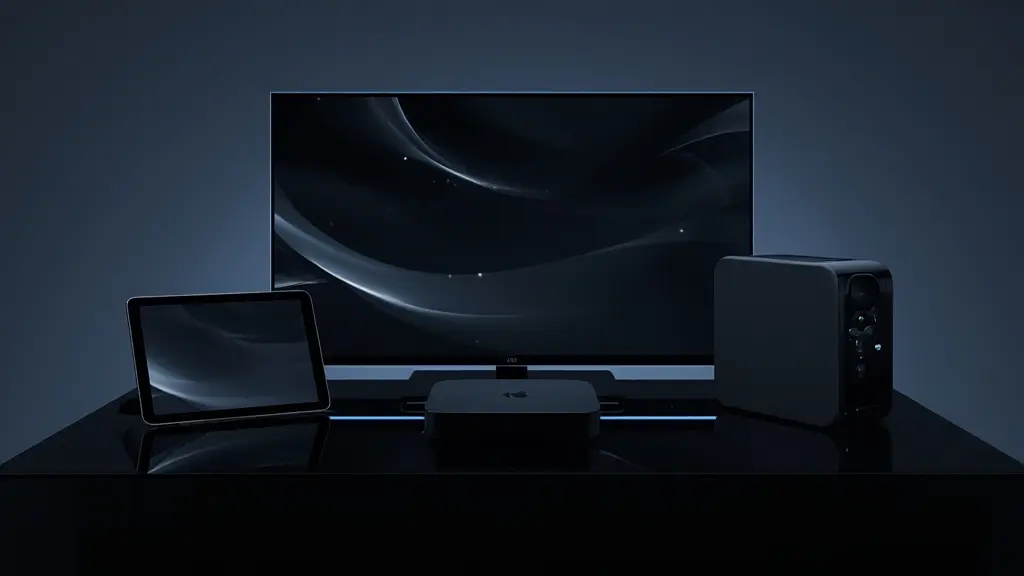
We do not supply a box, a stick or a remote. Your access works on devices you probably already own. These are the families we support and write guides for.
| Device family | Supported | Our guide |
|---|---|---|
| Samsung and LG smart TVs | Yes | IPTV on smart TVs |
| Android TV and Google TV boxes | Yes | IPTV on Android TV box |
| Fire TV Stick | Yes | IPTV on Firestick |
| Apple TV, iPhone and iPad | Yes | IPTV on Apple TV |
| Android phones and tablets | Yes | Devices overview |
| PC | Yes | Devices overview |
| Hardware supplied by us | No | You use your own device |
Support for a device family means two things: a supported player exists in that device’s official app store, and our guides and support team can help you with it. It does not mean every model ever made will run every player smoothly. Very old devices can struggle with a large catalogue, whatever the pack.
What this means for you: before ordering, open your device’s official app store and confirm that one of our named players is there. If it is, your device is ready for the service.
If your household uses several device families, you do not need a separate order for each. The same login goes on the smart TV, the box, the phone and the PC. The only limit is the one connection: one of those screens plays at a time. Many homes keep the TV as the main screen and use a phone or tablet as a backup when someone else has the living room.
Players we name, and who provides what
A player is the app that reads your login and shows the content. We name six that work with our login formats: IPTV Smarters Pro, TiviMate, Smart IPTV, IBO Player, XCIPTV and GSE Smart IPTV. Install them from your device’s official app store.
Two providers, two roles
We are independent from app publishers. We name these players because they accept our login formats, not because we earn anything from them.
- We provide: your access, the catalogue, the login formats and support on using them.
- The publisher provides: the app, its menus, its updates and any licence it sells.
- Some players ask for a licence. Check the current price on the app’s official website.
This split matters when you read what is included. Features like the shape of the guide grid, the way favourites work, or whether an app can record are decided by the player and sometimes by the device. They are not part of what we sell, and we do not promise them. If one of those features matters to you, check it on the player’s official page before you rely on it.
For help choosing, the apps overview sorts players by device, and there are full guides for TiviMate, IPTV Smarters Pro and IBO Player.
| Player | Typical devices | Licence from publisher |
|---|---|---|
| IPTV Smarters Pro | Phones, tablets, boxes, sticks | Check the app’s official website |
| TiviMate | Android TV boxes, Fire TV Stick | Check the app’s official website |
| Smart IPTV | Samsung and LG smart TVs | Check the app’s official website |
| IBO Player | Samsung and LG smart TVs, other devices | Check the app’s official website |
| XCIPTV | Android devices | Check the app’s official website |
| GSE Smart IPTV | Apple TV, iPhone, iPad, other devices | Check the app’s official website |
Licence terms change from time to time and are set by each publisher, which is why we never quote them. You are also not tied to your first choice. If a player feels awkward after a week, install another one, add the same login and remove the first. Your catalogue is identical in every player; only the presentation changes.
The connection rule included with each pack
Each pack includes one simultaneous connection. That is the rule for Premium, VIP Premium and Ultimate 4K alike, and for every duration.
Included
- The same login on every device in your household
- One screen playing at a time, in any room
- Moving from the TV to a tablet during the evening
- More simultaneous screens on request, with conditions from support
Not included
- Two screens playing at once on one pack
- Use by another household
- A published multi-screen offer or price
- Extra screens added automatically by a second order
In practice, a smart TV in the living room, a stick in the bedroom and a tablet in the kitchen can all hold your details. When one plays, the others wait. If two try to play at once, the second will not work as expected, and sometimes the first stops too.
If your household really needs several screens at the same time, write to support through the contact page. They will explain the conditions and the price for your case. We do not publish a fixed offer for this, because the right answer depends on your request.
Forgotten screens count too
The connection rule applies to any device that is playing, not only the one you are looking at. A tablet left on a paused channel in another room, or a phone with the player open in the background, still holds the connection. When the living room TV refuses to start, check the other devices first. Closing the player completely on the forgotten screen usually frees the slot within moments.
Compare packs and durations
Every pack shares the same base. Pick the catalogue and the length that fit your home.
Support included with every pack
Support is not an add-on and not a premium tier. It comes with every pack and every duration, from the first message before you order to the last day of your period.

How to reach us
Support answers 7 days a week by e-mail and on WhatsApp at +33 6 44 65 43 13, in English and French.
- Questions before you order, including languages and devices.
- Help entering your login in a player.
- Settings for picture, guide and favourites.
- Access questions: dates, resending, a new order.
- Requests for more simultaneous screens.
What support can and cannot do follows the same line as the rest of the service. We can check the status of your access, resend it, explain player settings and help you read a connection problem. We cannot change how a publisher’s app is designed, and we cannot configure your router from a distance. When the fix sits outside our part of the chain, we tell you so and point you to the step that will help.
To get a complete answer in one exchange, include four things in your first message: the e-mail address used at checkout, your device, your player and a photo of the screen. Never send card details or the password of any other account. We do not need them and will never ask for them.
What this means for you: you are not alone after payment. If something does not work on your first evening, tell us that evening. The help section also has a guide for each common symptom.
What is not included in the service
A list of inclusions is only half the picture. Here is what sits outside the standard service, stated as plainly as the rest.
| Item | Included | What to do instead |
|---|---|---|
| Hardware: box, stick, remote, cable | No | Use a supported device you own |
| Player licences from publishers | No | Check the current price on the app’s official website |
| Router or Wi-Fi configuration at your home | No | Follow our placement and connection advice |
| Channel lists before an order | No | Ask support about a specific language |
| Shared playlists or codes | No | Use only the login sent to you |
| Recording set up by us | No | Whether a player can record depends on the player and the device |
| Automatic renewal | No | Place a new order when you want to continue |
The recording line deserves a word. Some players and devices offer their own recording or replay tools. Those are features of the app or the hardware, not of our service, and we do not promise that any of them will work with any channel. If such a feature matters to you, check the player’s official information first, and ask us if you are unsure.
If you cannot tell whether something falls inside the service, ask before you order. A short question now saves a disappointing evening later.
Why we list exclusions at all: a page of inclusions alone invites assumptions. People reasonably expect a box, a channel list or a recording button because other services offer them. Stating what we do not supply is the quickest way to make sure the pack you order matches the pack you expected.
Matching the service to your household
The same base serves very different homes. These scenarios show how the included items line up with a few common situations.
One connection is all you need. The Premium Pack’s 20,000+ channels on an HD or Full HD screen covers the base well.
Then: start with a short duration to confirm your setupCompare the series column. VIP Premium’s 61,000+ series is the largest library of the three.
Then: look at the VIP Premium PackCheck that the line carries 25 Mbps for that screen, with room for others in the home.
Then: consider the Ultimate 4K PackOne pack is one screen at a time. This is a request for support, not a pack choice.
Then: write to support before orderingWe do not publish lists. Support checks and answers plainly.
Then: ask before you orderNone of these scenarios needs a special product. They all use the same packs, durations and rules. The difference is which column of the catalogue table you read first, and whether a question to support should come before the order.
If your situation is not in the list, describe it to us in a few lines: who watches, on which screens, in which rooms, and what you mostly watch. We will tell you which pack fits and whether anything you expect falls outside the service. That answer costs you nothing and takes the guesswork out of the order.
What changes when you move between packs
Because every order is independent, you can move from one pack to another whenever your period ends. Here is exactly what changes, and what stays where it was.
| When you move | What changes | What stays the same |
|---|---|---|
| Premium to VIP Premium | More live channels, a much larger series library, more movies | Picture options, connection rule, support, payment method |
| VIP Premium to Ultimate 4K | A 4K channel focus and the largest movie library; a smaller series library | Connection rule, login formats, support, no renewal |
| Ultimate 4K to Premium | A smaller catalogue without the 4K channel focus | HD, Full HD and 4K options, support, payment method |
| Any pack, longer duration | Only the length of access | Everything else |
A new order may come with new login details. When the new access e-mail arrives, compare it with the old one. If the details differ, replace them in each player, then remove the old account so nobody opens it by mistake. Favourites and settings inside a player are tied to the account in that app, so you may need to set them again.
There is no upgrade fee to calculate and no contract to amend. You simply choose a different pack at your next order. If you want no gap between periods, place the new order shortly before the old one ends.
Check that a pack fits before you order
A few minutes of checking avoids most disappointments. Follow these steps in order, and stop to ask us if one of them raises a doubt.
- Check your screen. If it is not a 4K screen, Premium or VIP Premium gives you everything it can show.
- Check your line. Plan for 10 Mbps in HD, 15 Mbps in Full HD and 25 Mbps in 4K, per screen, on top of other use at home.
- Check your device. Make sure it is on our list and that a named player is in its official app store.
- Check the player licence. If the player charges one, check the current price on the app’s official website.
- Check your language needs. Ask support before ordering if a specific language is important.
- Check your screen count. One pack is one screen at a time. Ask support if you need more.
- Pick a duration and order. Then follow the activation steps.
- My device is a supported smart TV, box, stick, Apple device, Android device or PC.
- My connection meets the speed for the quality I want.
- I understand that one pack means one screen playing at a time.
- I know there is no automatic renewal and no contract.
- I know hardware and player licences are not included.
- I have the support contacts saved.
Service words, explained
A short glossary of the terms used on this page, with the meaning they have at Northline IPTV.
- Pack
- The catalogue you buy: Premium, VIP Premium or Ultimate 4K.
- Duration
- How long your access lasts: 1, 3, 6 or 12 months.
- Catalogue
- The live channels, series and movies included in a pack.
- Simultaneous connection
- One screen playing at a time. Each pack includes one.
- Login formats
- Xtream Codes (server URL, username, password) and the M3U link.
- Player
- An app from an independent publisher that reads your login.
- Publisher licence
- A fee some players charge for their own app, separate from our service.
Related pages
Not sure which pack fits
Tell us your screen, your device and how your home watches. We will point you to the right pack.
FAQ
Is the catalogue the same for every duration?
Yes. The duration only changes how long your access lasts. The catalogue depends on the pack you choose.
Are series and movies included in every pack?
Yes. Every pack includes live channels, series and movies. The size of each library depends on the pack.
Do I get a box or a device?
No. You use a device you already own, with a player installed from its official app store.
Is the player app included?
The app comes from an independent publisher. Some players are ready to use; others ask for a licence. Check the current price on the app’s official website.
Is the TV guide included?
Yes. The guide comes with your login. Its times depend on your device’s time zone setting.
Can two people watch at the same time on one pack?
No. Each pack includes one simultaneous connection. For more screens at once, ask support about the conditions and the price.
Is support included at no extra charge?
Yes. Support by e-mail and WhatsApp, 7 days a week, in English and French, is part of every pack and every duration.
Can I check a language before buying?
Yes. The catalogue includes French-language and international content. For any specific language, ask support before ordering.
Can I change pack later?
Yes. When your period ends, you can order a different pack or duration. Nothing renews automatically.
Does the service include recording?
No. Recording is not part of the service. Some players or devices have their own tools; check the player’s official information.