This page is about who we are and how we work. Northline IPTV sells access to IPTV packs for homes in Canada. We keep our rules simple and written down, so you can read them before you buy and hold us to them afterwards. What this means for you: no surprises after you order, and a clear answer to “who am I paying, and for what?” before you spend anything.
If you only have a minute: we sell three packs, for four durations, paid once. One login plays on one screen at a time. Support answers every day in English and French. Everything else on this page explains those points in more detail. The plans page compares packs and durations with current prices.
What Northline IPTV is about
We sell access, and we help you use it. That is the whole of our business, and we would rather say it plainly than wrap it in a story. Here is what that access includes, and what sits outside it.
Access to a catalogue
Live channels, series and films, depending on the pack you choose.
A login for your home
Xtream Codes details or an M3U link, e-mailed within minutes of your order.
Support that answers
By e-mail and WhatsApp, 7 days a week, in English and French.
No player apps
Players come from independent publishers, through your device’s official app store.
No devices
Your TV, box, stick, phone, tablet or PC stays your own.
No internet line
Your connection comes from the internet provider you already use.
Your details arrive by e-mail within minutes of your order, either as Xtream Codes (a server URL, a username and a password) or as an M3U link. You then use them in a player app installed from your device’s official app store. We are independent from the publishers of these apps. If a player charges for its licence, check the current price on the app’s official website.
Keeping these lines clear is not a technicality. It tells you where to look when something needs attention. A login question comes to us. A licence question goes to the player’s publisher. A faulty router goes to your internet provider. We help you work out which is which, and we say so plainly when a fix belongs elsewhere.
What you will not find on this about page
Many “about us” pages are built on claims a buyer has no way to check: a founding story, a headcount, a list of awards, a map of offices. We have chosen not to write that kind of page.
Our approach to this page
We do not publish a history, a team size, a number of customers, ratings or awards. We do not claim offices or servers in any Canadian city. Instead, we publish the rules we apply to every order and the figures we can stand behind, which are the size of each pack’s catalogue, the durations, the speed each screen needs and the days support answers. Those are the things that decide whether the service suits your home.
We think this is a fairer basis for a decision. A founding story cannot tell you whether your plan will renew by itself. A headcount cannot tell you how many screens can play at once. Our rules can, and they are written on our pages before you pay.
What this means for you: judge us on what we write down and on how we answer when you ask. If you want to test the second part before ordering, send a question to support. Our guide to questions to ask an IPTV provider suggests what to send, and the same questions work on any provider you are comparing.
We also do not ask you to trust a particular person’s word in a chat. If anyone, including someone answering on our behalf, tells you something that contradicts a written rule, the written rule applies. Ask for the answer in writing, and keep it.
About our packs
We offer three packs. Each one includes live channels, series and films. They differ in the size of each part of the catalogue and in their focus.
VIP Premium Pack
- 27,000+ channels
- 61,000+ series
- 155,000+ movies
- HD, Full HD and 4K
Ultimate 4K Pack
- 57,000+ 4K channels
- 47,000+ series
- 179,000+ movies
- 20 servers in Europe
The plus sign after each figure means “at least”. A catalogue of this size changes over time as content is added and removed, so we state a floor rather than an exact count. The figures are there to help you compare the packs with each other. They do not tell you whether a particular programme is included.
The catalogue includes French-language and international content. We do not claim any specific language beyond that, and we do not name channels. If you need a specific language, ask support before ordering: we tell you what we can confirm and what we cannot, rather than letting you find out after paying.
Which pack suits which home
The choice usually comes down to your screen and your habits. A household with a 4K television and a line that delivers 25 Mbps to it suits the Ultimate 4K Pack, which is built around 4K channels. A household that lives on series suits the VIP Premium Pack, which has the largest series library of the three. A home that mostly wants live channels and a solid film library can start with the Premium Pack. Our page on what is included in the service lists each pack in full.
About durations and payment
How you pay matters as much as what you get. Our payment rules are short, and they are the same for every pack.
| Rule | How it works | What it means for you |
|---|---|---|
| Durations | 1, 3, 6 or 12 months, for every pack | You choose how long to commit, and nothing more |
| Payment | One payment in Canadian dollars, by card or PayPal | One charge per order, at checkout |
| Automatic renewal | None | Nothing to cancel; access stops on its end date |
| Contract | None | The duration you buy is your whole commitment |
| Prices | Shown on the plans page and each product page | You see the total before you pay |
We do not print amounts in our guides, because guides stay online longer than prices stay the same. See current prices on the plans page. Our guide to the IPTV subscription price explains how those prices are built and what they cover.
The absence of automatic renewal is deliberate. Many services make it easy to start and harder to stop. We take the opposite view: when the duration you paid for ends, access stops and nothing is charged. If you want to continue, you order again, with the pack and duration that fit your home at that time.
Payment happens only at checkout. We never ask for card details by message, by e-mail or on WhatsApp. If anyone does so in our name, do not answer, and tell us. Our payment guide covers the safe habits that protect you as a buyer.
Who we serve
Our customers are households across Canada who want to watch on the screens they already own. We do not ask you to buy new equipment or sign up for anything beyond the pack itself.
Devices our access works on
- Samsung and LG smart TVs
- Android TV and Google TV boxes
- Fire TV Stick
- Apple TV, iPhone and iPad
- Android phones and tablets
- PC
Supported players include IPTV Smarters Pro, TiviMate, Smart IPTV, IBO Player, XCIPTV and GSE Smart IPTV. Each runs on some of these devices and not others. Our IPTV devices guide compares the devices, and our guide to IPTV apps shows which player runs where.
Each screen needs a steady line: 10 Mbps for HD, 15 Mbps for Full HD and 25 Mbps for 4K. These are the figures we use in every support reply. Measure at the screen, in the evening, when the home is busiest. If support sets up extra simultaneous screens for your home, add the figures together.
Who we may not suit
We would rather say this before you order than after. If your home needs several screens playing at the same moment, the standard pack includes only one, and more are possible only on request, with conditions and a price from support. If your line cannot hold the speed for the quality you want, the picture will pause no matter which provider you choose. And if you need one specific language, ask before buying rather than assuming. None of these rules out ordering; each is a reason to ask first.
A note on first orders
If you are unsure whether your home fits, the shortest duration is the honest way to find out. A month is long enough to try your main screen in the evening, test a second device one at a time and see whether the catalogue suits what your household watches. If it does, you can choose a longer duration next time. If it does not, the plan simply ends, with nothing to cancel and nothing charged afterwards.
How an order works with us
From the first look at our site to the end of your plan, the path is short and the same for everyone. Here it is, stage by stage.
- Before you order
Read and ask
Compare the packs and durations. If you have a question about a device, a player or a language, write to support and get an answer first.
- At checkout
Pay once
See the total in Canadian dollars. Pay by card or PayPal. There is no contract to sign.
- Within minutes
Receive your access
Your login arrives by e-mail. If it is not in your inbox, check spam, then write to us.
- First evening
Install and watch
Install a supported player from your device’s official store, enter your details and open a channel.
- During the plan
Ask when needed
Support helps with login, player settings and connection checks, every day of the week.
- End of the plan
Decide again
Access stops and nothing is charged. Order again only if you want to.
There is no installation visit, no equipment to return and no notice period. The relationship lasts as long as the plan you bought. Our guide to how activation works covers the first evening in detail, and our setup guide explains the first login on each kind of device.
What this means for you: you can usually go from order to first channel on the same evening, and you never have to remember to cancel anything.
One small habit helps at the very start: when your access e-mail arrives, write the end date of your plan in your phone calendar and set a reminder a few days before it. When the reminder comes, you can decide calmly whether to continue, with which pack and for how long, instead of finding out on the evening the screen stops.
How we work
A few principles shape every page we write and every reply we send. They are short enough to remember and specific enough to check.
- We publish our rules before you buy, including the connection limit.
- We never renew a pack automatically.
- We show prices before checkout, never only in a private message.
- We tell you when a fix belongs to us, to the app or to your connection.
- We say “we cannot confirm that” when we cannot, instead of guessing.
- We answer by e-mail and WhatsApp, 7 days a week, in English and French.
If it matters to your decision, it should be written down before you pay. If it is not written down, ask, and we will answer in writing.
These principles are not marketing lines. Each one rules something out. Publishing the connection limit rules out a surprise when a second screen stops the first. Refusing automatic renewal rules out a charge you did not expect. Saying “we cannot confirm that” rules out a promise we cannot keep. The full list, with what each rule means for you, is on our commitments page.
We also keep the offer small on purpose. Three packs, four durations, two payment methods and one connection rule. Every extra option is one more thing to misread at checkout and one more thing to explain in a support reply. When a household needs something outside that frame, such as more screens at once, the answer comes from support for that case.
Ask us anything before you order
Send your device, your player and the language you watch in. We tell you honestly whether the service fits your home.
What we are independent from
An IPTV setup has several parts, and they come from different places. We provide one of them. Knowing which part comes from whom tells you who to ask when something needs attention.
Player publishers. We do not make, sell or control any player app. We help you set players up with your details, and we tell you which ones work well on which devices. If a player asks for a licence, that is between you and its publisher; check the current price on the app’s official website.
Device makers. We do not sell televisions, boxes or sticks, and we do not quote device prices. We list the devices our access works on, and we suggest settings that help playback. A device fault belongs with its maker.
Internet providers. We do not sell internet access, and we do not control your line or your Wi-Fi. We tell you the speed each screen needs and help you test it. A line that cannot reach those figures needs attention from your internet provider.
What this means for you: your first message can always come to us, even when the cause sits elsewhere. We would rather help you find it than send you away. When a fix truly belongs to someone else, we say so and tell you what to ask them.
About the one-connection rule
Of all our rules, this is the one that most often surprises new customers, so it deserves its own section on this about page.

The rule in practice
- Each pack includes 1 simultaneous connection.
- You can enter the same login on several devices in your home.
- Only one of them should play at any given moment.
- A second stream can stop the first.
- More screens at once are possible only on request.
The rule exists because a pack is sold for one stream at a time. Stating it up front means you can plan around it: the living room TV in the evening, the bedroom tablet at another time, the phone on a trip. Most households with one main screen never notice it.
Your login stays in your household. Sharing your details with another home is not allowed, and it interrupts your own viewing whenever they watch, because both of you are using the same single connection. If your home needs more screens at the same moment, ask support rather than stretching one login. They explain the conditions and the price for your case.
Our page on IPTV that can’t connect explains how the rule shows up on screen, and how to tell it apart from a real login error.
About picture quality and your line
Every pack offers HD, Full HD and 4K, and the Ultimate 4K Pack is built around 4K channels. What you actually see at home depends on two things we do not supply: your screen and your line. We would rather explain that now than leave you to discover it on the first evening.
Steady speed needed at one screen
Your screen. A 4K picture needs a 4K television and a device that can play 4K. A Full HD television shows a Full HD picture, whatever the source. If you are not sure what your TV supports, the model name in its settings will tell you, or you can ask support with the model.
Your line. The figures above are what one screen needs, steadily, at the moment you watch. A line that reaches them in the morning may fall short in the evening, when everyone in the home or the building is online. Measure at the screen, at the hour you usually watch. If support sets up more simultaneous screens for your home, add the figures together and leave room for other people on the same line.
Your Wi-Fi. The distance between router and TV, the walls in between and the Wi-Fi band all play a part. A 5 GHz connection close to the router, or a cable, usually holds 4K better than 2.4 GHz from the far end of the house. Our page on 4K quality and bandwidth explains the details.
What this means for you: choose the pack for the screen you have and the line you can measure, not for the best figure on the page. If your setup is borderline, ask support before ordering and we will tell you honestly.
Situations we are asked about
People write to us before ordering with very different homes and habits. Here are some of the situations we hear about most often, and the honest answer to each.
No page can predict how your TV, router and player behave together.
Then: start with a 1-month plan and test at homeSupport answers in French, and the catalogue includes French-language content.
Then: write to us in French with what you watchThe catalogue includes international content, but we will not guess.
Then: ask support before orderingEach pack includes 1 simultaneous connection.
Then: ask support about conditions and price for moreSome older televisions lack a supported player or struggle with large lists.
Then: tell us the model, or consider a box or stickYour login travels with you; the one-stream rule travels too.
Then: watch in one place at a time and test the second lineNotice how many answers begin with “ask” or “test”. That is deliberate. A provider that says “yes, that works” to every situation before knowing your setup is making promises it cannot check. We would rather ask a question and give you a true answer than a quick one.
The 1-month IPTV subscription guide explains how to use a first month as a real test of your home, and the IPTV service in Canada guide sets out what a complete service should give a Canadian household.
What happens when something goes wrong
Every service has bad evenings, and we do not pretend ours never will. What we can tell you is how we handle them, so you know what to expect when you write.
- You describe what you see. Your device, your player, the exact message on screen and when it started.
- We check your access on our side. Whether the login is active, whether it has reached its end date, whether a stream is already running on it.
- We suggest the next step. Usually a setting in the player, a restart in the right order or a speed test at the screen.
- We narrow it down with you. Login, player, device or line: we work out which one together.
- We say who can fix it. If the cause is ours, we fix it. If it sits elsewhere, we tell you who to ask and what to say.
Deep dive: why so many problems are not faults at all
A large share of the problems people report turn out to be the setup around the service rather than the service itself. A second screen left playing in another room. A device whose clock is wrong after a power cut. A router replaced by the internet provider, with the TV still trying to join the old network. A plan that reached its end date. None of these is broken, and each has a simple fix once it is named. That is why our first questions are about your home, not a promise to check our servers.
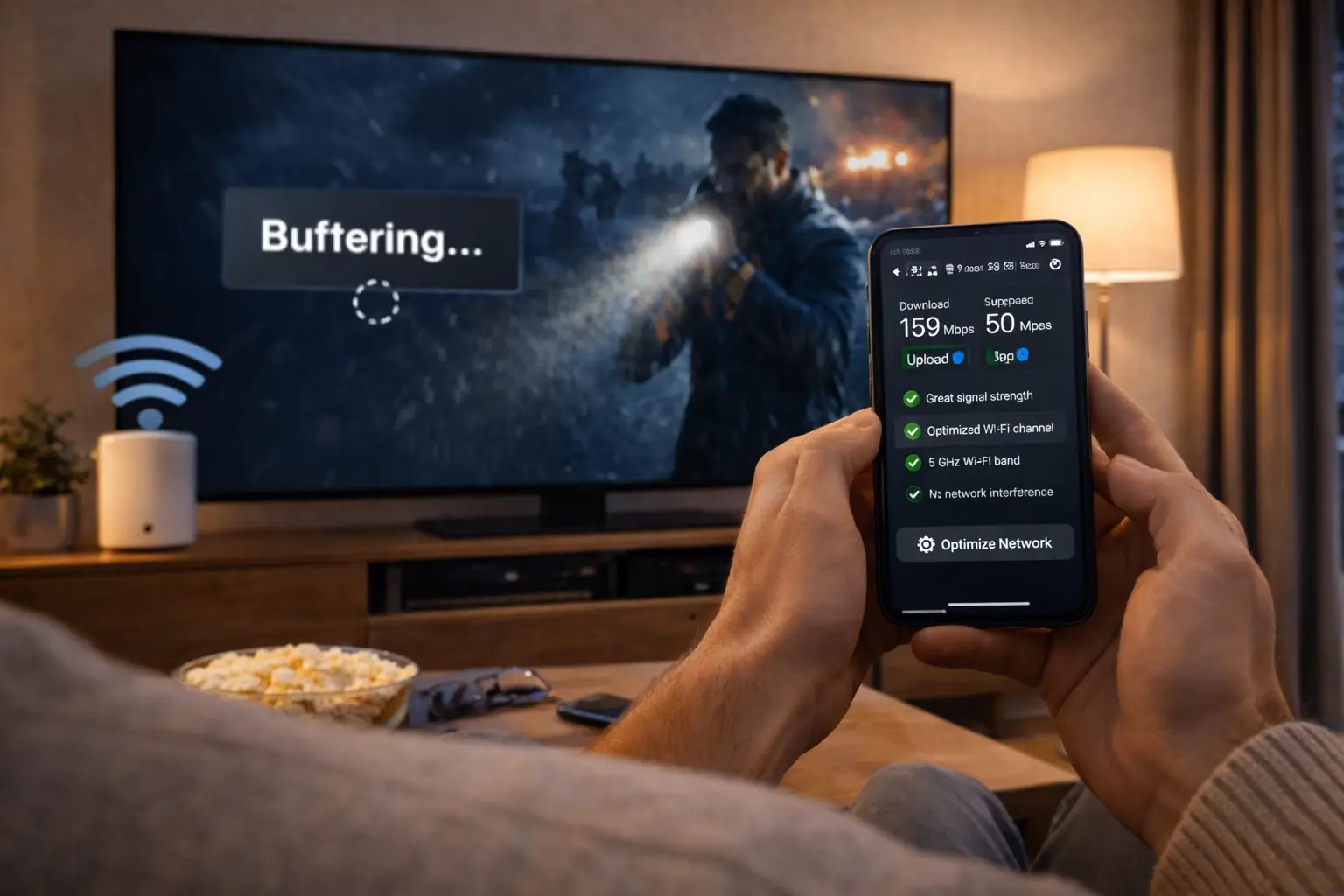
Our buffering guide and black screen guide cover the two symptoms people write about most, so you can try the first fixes yourself before you write.
About your login and your privacy
We need very little from you to provide the service, and we ask for very little. Here is what we use and what we never ask for.
Your order e-mail
Where your access is sent, and how support finds your order.
Payment at checkout only
By card or PayPal. Never by message, never by transfer.
Your login, your home
We will not resend it to a different address because someone asks in a chat.
Your login is the key to your plan. Keep the welcome e-mail somewhere safe, do not paste the details into group chats or forums, and type them only into a player from your device’s official store. If you sell or give away a device, remove the player profile first.
If you send support a photo of an error screen, check that no password is visible. We never need it to help you, and a photo can travel further than you intend. If you think your login has leaked, write to us straight away from the address you ordered with.
About our support
Support is part of what you pay for. It answers 7 days a week, by e-mail and on WhatsApp at +33 6 44 65 43 13, in English and French. The same team handles both channels, so you can pick whichever suits the moment.
We help before you order as well as after. Before ordering, ask about a device, a player, a language or the connection rule, and get a written answer before you pay. After ordering, we help with the first login, player settings, connection checks, a missing access e-mail and the end of your plan.
A message with your order e-mail, your device, your player and the exact problem usually gets a complete answer in one reply. Our support overview explains how to write that message, which channel suits which question and what support can and cannot do.
| Support detail | What applies |
|---|---|
| Days | 7 days a week |
| Channels | E-mail and WhatsApp |
| Languages | English and French |
| Before ordering | Yes, questions welcome |
| Card details by message | Never asked |
| Player licences sold | No, we are independent from publishers |
What this means for you: you know in advance how to reach us, in which language, and what to expect from the reply.
One habit makes every exchange faster: reply in the same thread rather than starting a new message each time. The history of what was tried stays together, and whoever reads it next does not need to ask again. If you switch from e-mail to WhatsApp, or the reverse, mention the earlier conversation in your first line.
What we are, and what we are not
A short summary helps when you are comparing providers. Here is ours, side by side.
What Northline IPTV is
- An IPTV provider for Canadian homes
- A seller of three packs, in four durations
- Paid once, in Canadian dollars, by card or PayPal
- One login per household, one stream at a time
- Support in English and French, every day
What Northline IPTV is not
- A player publisher or a device seller
- An internet provider
- A subscription that renews by itself
- A contract with a minimum term
- A service that promises a specific language without checking
The right-hand column is as important as the left. A provider that lists its limits is easier to judge than one that seems to do everything. If one of those limits matters to your home, it is better to know now.
Read the two columns together when you compare us with someone else. Ask each provider the same questions: who makes the player, who supplies the line, whether the plan renews, how many screens can play at once. A provider whose answers match its own pages is easier to deal with for the whole length of a plan. One whose answers change depending on who you ask has told you something important too.
And if your home sits on the wrong side of one of our limits, that is useful to know before paying, not after. We would rather lose an order than sell a plan that does not fit.
Serving Canadian homes, as we understand it
We describe ourselves as a provider for Canadian homes. We want to be precise about what that means here and what it does not.
It means prices and payments in Canadian dollars, support in English and French, and guides written for Canadian households: winters spent indoors, cottages, moves between provinces and a country that spans several time zones. It means the same rules apply in every province and territory.
It does not mean offices or servers in a particular Canadian city. We do not claim any. The Ultimate 4K Pack, for example, is delivered from 20 servers in Europe, and we say so. It also does not mean that the catalogue carries any particular regional or national channel. The catalogue includes French-language and international content; for anything more specific, ask support before ordering.
Time zones are the one practical point worth acting on. A programme guide set for the wrong zone shows the wrong programme at the wrong time. Our TV guide setup page explains how to set the device time zone and the player’s time shift for wherever you live.
On legality: the technology is legal; whether a service is legal depends on the broadcasting rights it holds, so check before subscribing. That applies to every provider you consider, including us.
What this means for you: judge us on what we write down and on how we answer, not on where we say we are. That is the standard we suggest for any provider, and it is the one we try to meet on every page of this site.
How to check us before you pay
You should not take any provider’s about page at its word, ours included. Here is a short way to check what we say, in one evening, without spending anything.
- Read the rules. Open our plans page and our commitments page. Look for payment, renewal, contract and connections.
- Check the prices. Open a product page and confirm that the price, currency and duration are visible before checkout.
- Send one question. Write to support about your device, your player or a language. Note how clearly the reply answers what you asked.
- Compare the answer with the page. The reply and the written rules should say the same thing. If they do not, ask which one applies.
- Test your home. Run a speed test at the screen you will use, in the evening, and check that a supported player is in your device’s store.
Our guide to choosing an IPTV supplier turns these steps into a full routine you can use on any provider. If something in our answers does not match our pages, tell us. We would rather correct a page than leave you unsure which one to believe.
None of these steps commits you to anything. Reading pages, sending a question and testing your line cost nothing but a little time. By the end of the evening you will know how we write, how we answer and whether your home is ready, which is more than any about page can tell you on its own.
About the words we use
These terms appear across our pages and in support replies. Here is what we mean by each.
- Pack
- One of our three catalogues: Premium, VIP Premium or Ultimate 4K.
- Duration
- How long your access lasts: 1, 3, 6 or 12 months.
- Login
- Your Xtream Codes details or M3U link, sent by e-mail.
- Player
- The app you watch in, from an independent publisher.
- Simultaneous connection
- One stream playing at a given moment. Each pack includes one.
- Automatic renewal
- A repeat charge at the end of a period. None of our plans has one.
- Household
- The people who live in your home. Your login is for them only.
Related pages
These pages go deeper into the points on this one.
Compare the three packs
See the catalogue of each pack and the current prices for 1, 3, 6 and 12 months.
FAQ
Who is Northline IPTV?
An IPTV provider for Canadian homes. We sell access to three packs and provide support in English and French, 7 days a week.
Do you make the player apps?
No. We are independent from app publishers. Install players from your device’s official app store. If one needs a licence, check the current price on the app’s official website.
Do your plans renew automatically?
No. Every plan is a one-time payment. When it ends, access stops until you choose to order again.
How do I pay?
Once, at checkout, in Canadian dollars, by card or PayPal. We never ask for card details by message.
How many screens can I use at once?
Each pack includes 1 simultaneous connection. You can install the login on several devices in your home and use them one at a time. For more screens at once, ask support for the conditions and the price.
Is there content in my language?
The catalogue includes French-language and international content. For any specific language, ask support before ordering.
Do you have offices or servers in Canada?
We do not claim any. The Ultimate 4K Pack is delivered from 20 servers in Europe. We serve Canadian homes with Canadian-dollar pricing and English and French support.
Why do you not publish customer numbers or ratings?
Because you cannot check them. We publish our rules and our catalogue figures instead, and we invite you to test our support before you order.
Is IPTV legal?
The technology is legal; whether a service is legal depends on the broadcasting rights it holds, so check before subscribing, with us or with any provider.
How do I contact you?
By e-mail or WhatsApp at +33 6 44 65 43 13, 7 days a week, in English or French. The contact page lists every option.