
The right IPTV provider questions save you time, money and a few frustrating evenings. You do not need dozens. Ten well-chosen questions cover payment, access, content, picture quality, support and rights. For each one, this page explains why it matters, what a clear answer looks like, what a weak answer sounds like, and how Northline IPTV answers it. You will also find a message you can copy, a scoring sheet for the replies, follow-ups for vague answers and a short list of warning signs. What this means for you: one evening of questions replaces weeks of finding out after you have paid.
Keep the replies. Ask by e-mail or written message and save what you receive. If a doubt comes up later, the answer is on record, in the provider’s own words.
Why IPTV provider questions beat catalogue figures
Most disappointments with IPTV come from something nobody asked. A plan renewed when the household expected it to end. A second TV stopped because the first one was playing. A language turned out to be missing. A player needed a licence nobody mentioned. Each of these could have been settled with one question before paying.
Catalogue figures do not settle any of them. A large number of channels tells you nothing about renewal, screens, currency or your language. It is easy to compare two numbers and feel you have compared two services. You have not. The rules around the catalogue decide how your evenings feel far more than its size.
Money
Price, currency, renewal and contract. Three questions.
Access
Screens, delivery and devices. Three questions.
Content and quality
Your language and your speed. Two questions.
Support and rights
Who answers, and on what basis the service runs. Two questions.
A good provider is happy to answer all ten. The replies should be short, in writing and consistent with what the provider’s own pages say. If an answer is vague, contradicts the site or never arrives, that tells you something too. What this means for you: ask first, compare catalogues second.
Before you ask: three questions about your own home
A provider can only give a useful answer if you know what you are asking for. Three facts about your own setup make every reply easier to judge. Take ten minutes to find them before you write to anyone.

Your three home facts
- Your main screen. Make and type: smart TV, box, stick, Apple TV, phone or PC. Does it show 4K?
- Your evening speed. Measured on that device, in that room, at the hour you usually watch.
- Your household’s habit. Do two people ever watch different things at the same moment?
With these three facts, the screen question becomes precise (“we need two at once on weeknights”), the speed question becomes a check (“our living-room TV measures above 25 Mbps in the evening”), and the device question becomes a yes or no (“is a player available for this model?”). Providers answer precise questions better, and you can tell more quickly whether the answer fits.
If you also need a specific language, write it down as you would say it to a friend. “French” is clear. “Something for my parents” is not. What this means for you: precise questions get precise answers, and vague questions give a provider room to be vague back.
How to use the ten questions
The method is short. Send the questions in writing, compare each reply with the provider’s own pages, score each answer, then decide. If two providers score the same, start with a short plan from the one that replied more clearly.
If you only have time for three, start with renewal, screens and language. Those three cause the most surprises in Canadian homes. Add the others when you want the full picture. The sections below group the questions by theme, and each one follows the same pattern: why it matters, what a clear answer looks like, what a weak one sounds like, and our own answer.
Money: questions one to three
Start here. These three decide what you pay, how often and for how long. They are also the ones providers most often leave vague.
Question one: where the price is shown, and in which currency
Why it matters: a price you cannot see before checkout is hard to compare, and a price in another currency leaves you guessing what lands on your statement. Clear answer: a page that shows the price, the currency and the duration before you pay. Weak answer: “contact us for pricing”, or a figure with no currency. Our answer: see current prices on the plans page. We charge in Canadian dollars, by card or PayPal.
Question two: whether the plan renews automatically
Why it matters: an unexpected renewal is one of the most common complaints in any subscription. Clear answer: a plain yes or no, in writing. Weak answer: “you can cancel any time”, which tells you renewal exists without saying how it works. Our answer: no. Every plan is a one-time payment. Access stops at the end and nothing is charged again.
Question three: whether there is a contract or a minimum term
Why it matters: you should know your full commitment before paying. Clear answer: the term, stated in a sentence. Weak answer: a link to long terms with no summary. Our answer: no contract. You choose 1, 3, 6 or 12 months, and that duration is the whole commitment.
| Money question | Clear answer | Weak answer | Northline IPTV |
|---|---|---|---|
| Price and currency | Figure, currency, duration shown before checkout | “Contact us for pricing” | Plans page, Canadian dollars |
| Automatic renewal | A plain yes or no | “Cancel any time” | No automatic renewal |
| Contract or minimum term | The term in one sentence | A link with no summary | No contract; 1, 3, 6 or 12 months |
One detail is worth adding to question one if you compare several providers: ask whether the price shown is for the whole duration or per month. Some pages show a monthly figure for a plan that is paid in one go, which makes a 12-month plan look smaller than the amount at checkout. Ours is shown for the pack and duration you choose, and that is the amount you pay, once.
Our pages on how our prices are set and paying your IPTV provider explain the money rules in more depth.
Access: questions four to six
Next, find out how the service reaches your screen. These answers tell you whether it fits the way your household actually watches.
Question four: how many screens can play at the same time
Why it matters: families often assume several TVs can play at once. Clear answer: a number, and a clear rule for asking for more. Weak answer: “works on all your devices”, which describes installation, not playback. Our answer: 1 simultaneous connection per pack. You can install the login on several devices and use them one at a time. More screens are available on request; support gives the conditions and the price.
Question five: how and when access is delivered
Why it matters: you want to know when you can start, and what you will receive. Clear answer: a delivery method, a time frame and the format. Weak answer: “quickly” with no method. Our answer: by e-mail, within minutes, as Xtream Codes details (server URL, username and password) or an M3U link.
Question six: which devices and players are supported
Why it matters: the service is only useful if it runs on your device. Clear answer: a named list of devices and players, plus where to get the players. Weak answer: a file sent by message, or a link outside the official stores. Our answer: Samsung and LG smart TVs, Android TV and Google TV boxes, Fire TV Stick, Apple TV, iPhone and iPad, Android phones and tablets, and PC. Players: IPTV Smarters Pro, TiviMate, Smart IPTV, IBO Player, XCIPTV and GSE Smart IPTV, from your device’s official app store. Some need a publisher licence; check the current price on the app’s official website.
That describes where the login can be installed, not how many screens can play.
Then: ask for the number of simultaneous streamsA player should come from your device’s official app store, nowhere else.
Then: treat this as a warning signYou need the method and the format to plan your evening.
Then: ask how, and what the message containsQuestion four is the one most families get wrong, so it is worth a second look. “How many devices” and “how many screens at once” are different questions with different answers. Ask the second one, in those words. If your household has a habit of two screens at the same time, say so in the message, and ask what the provider offers for that case and on what conditions.
Our devices overview and IPTV app guide show how each device and player fits together.
Content and picture quality: questions seven and eight
These two are where general claims are most tempting and least useful. Insist on answers about your language and your line, not about the service in general.
Question seven: whether the language you need is in the catalogue
Why it matters: language is personal, and a catalogue size says nothing about it. Clear answer: a direct reply about your language. Weak answer: “we have everything”, or a list of numbers. Our answer: the catalogue includes French-language and international content. For any other specific language, ask support before ordering and we will answer in writing.
Question eight: what internet speed you need
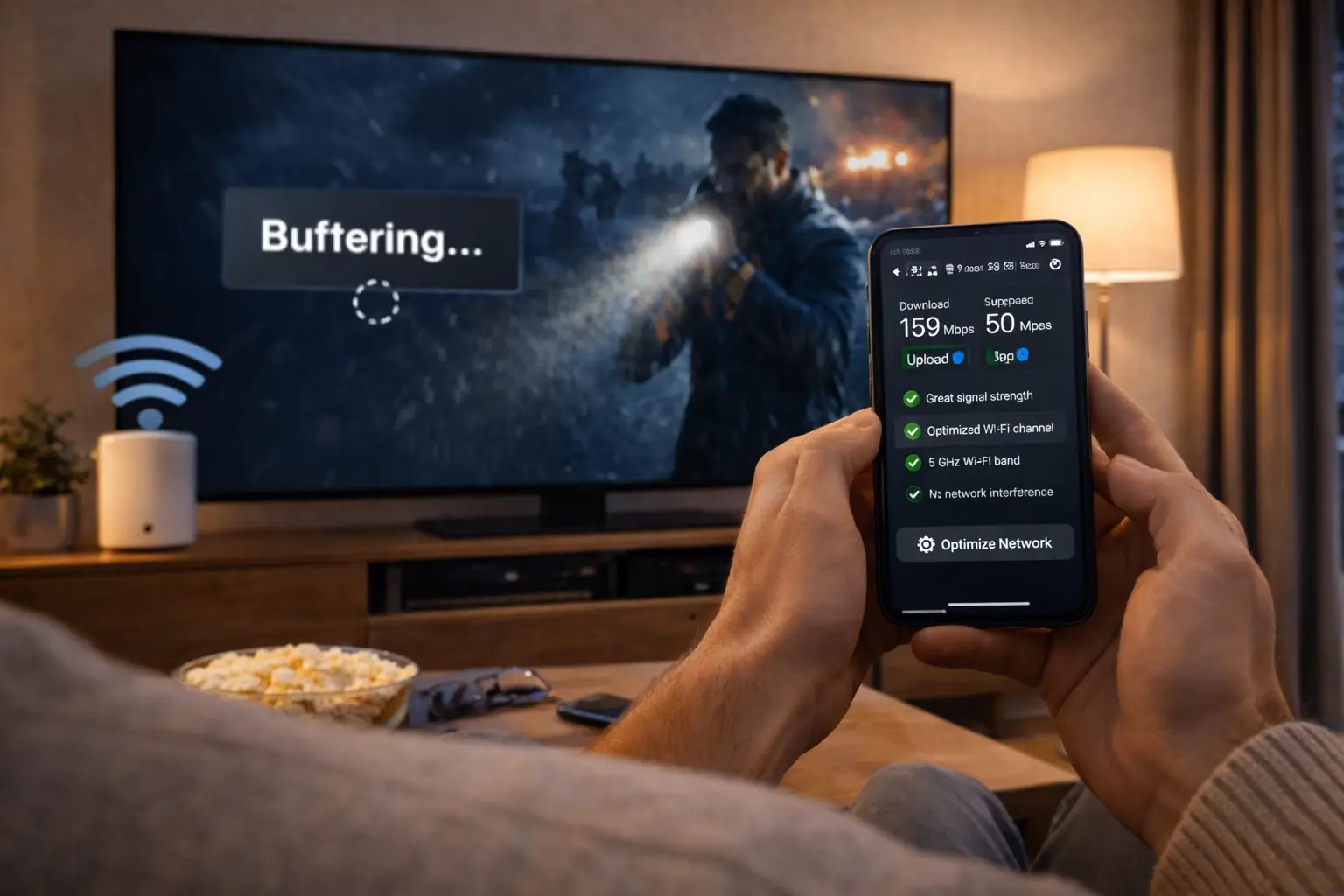
Why it matters: your line decides the picture you see. Clear answer: figures per screen and per quality level. Weak answer: “any connection works”. Our answer: 10 Mbps for HD, 15 Mbps for Full HD and 25 Mbps for 4K, per screen. These figures add up if you have extra screens set up by support.
Our answer to question eight, per screen
Compare the figures with the evening speed you measured at your main screen. If you are near the 4K line, ask the provider what quality they would suggest. A provider who tells you to choose Full HD for now is giving you a better answer than one who says 4K will work on any line. Our page on 4K quality and bandwidth explains the details, and the buffering guide lists what to check if the picture pauses.
Support and rights: questions nine and ten
The last two questions are about what happens when something goes wrong, and on what basis the service runs at all.
Question nine: how to reach support, when, and in which language
Why it matters: problems rarely happen at a convenient moment, and Canadian homes often switch between English and French. Clear answer: named channels, days and languages. Weak answer: a contact form with nothing else. Our answer: e-mail and WhatsApp (+33 6 44 65 43 13), 7 days a week, in English and French.
Question ten: whether the service holds the broadcasting rights for what it offers
Why it matters: the technology is legal; whether a service is legal depends on the broadcasting rights it holds, so check before subscribing. Clear answer: a direct, written reply. Weak answer: silence, or a change of subject. Our answer: ask us, and we reply in writing.
Why we include question ten
Some guides leave it out because it is uncomfortable. We include it because it is a fair question to put to any provider, us included. A written reply is something you can keep and read again. Silence on this question is worth weighing as much as any reply.
The way support handles your questions before you pay is a good preview of how it will handle a problem after. Note how clearly it replied, in which language, and whether the answer matched the provider’s pages. Our support page shows how to reach us.
Send the ten questions to us
Write by e-mail or WhatsApp, in English or French, 7 days a week. We answer in writing so you can compare.
A message you can copy and send
The easiest way to ask is one message with all your questions numbered. It shows the provider you know what matters, and it makes the replies easy to compare line by line. Here is a version you can adapt. Replace the bracketed parts with your own details.
One message, ten numbered questions, your setup at the top. Never include a password or payment detail.
Putting your setup at the top matters more than it seems. A provider who reads “Full HD TV, line holds 15 Mbps in the evening, two children who watch upstairs” can give you a specific answer on screens and quality. Without it, you get a general reply that fits nobody in particular.
Send the same message to every provider you are considering, on the same day if you can. That way you compare not only the answers, but how each provider handles an identical request. What this means for you: ten minutes of writing gives you a side-by-side comparison you can trust.
Scoring the replies: clear, vague or missing
Once replies arrive, mark each answer with one of three labels. Do it question by question, not provider by provider, so you compare like with like.
A clear answer
- Gives a number, a yes or no, or a named list
- Matches what the provider’s own pages say
- Answers your case, not the general case
- Is in writing, in a language you read easily
A vague or missing answer
- Replaces a number with “unlimited” or “all”
- Contradicts the provider’s pages
- Answers a different question from the one asked
- Never arrives, or arrives only by voice call
Count the clear answers for each provider. The totals are rarely close. When they are, look at the three questions that matter most for your home, usually renewal, screens and language, and let those decide. If two providers are still level, compare how quickly and how plainly they replied, then start with a short plan from the one you prefer.
Be fair to providers on one point. A reply that says “we do not know, we will check and write back” is not vague; it is honest. What matters is whether the follow-up arrives and whether it answers the question. What this means for you: you end up with a simple score per provider and a short list of questions that still need a second reply.
Follow-up IPTV provider questions when an answer is vague
A vague first answer is common and not always a bad sign. Sometimes the question was not clear, or the person replying used a stock answer. A precise follow-up usually sorts it out. If the second reply is still vague, treat the answer as missing.
| If the reply says | Ask this follow-up | What a clear follow-up looks like |
|---|---|---|
| “Cancel any time” | Is anything charged automatically at the end of the period? | “Yes” or “no”, with how it works |
| “Works on all your devices” | How many devices can play at the same moment? | A number |
| “We have every language” | Is this specific language in the pack I am looking at? | Yes or no for that language |
| “Any connection is enough” | Which speed do you suggest per screen for HD, Full HD and 4K? | Three figures |
| “Support is always available” | Which channels, which days, which languages? | Named channels, days and languages |
| “Delivery is instant” | How is access sent, and what does the message contain? | A method and a format |
Timing matters as well. Send the follow-up within a day or two, while the first exchange is fresh, and quote the original question so nobody has to scroll back. If the provider replied in one language and you prefer the other, say so; a provider with support in both should switch without fuss.
Keep follow-ups short and polite. One question per line, numbered to match the original. A provider who answers the follow-up clearly has earned back the point. A provider who answers it with another general phrase has told you how future questions will go.
A worked example: two replies to the same message
To show how scoring works in practice, here are two replies we wrote ourselves to the same ten-question message. They are not real providers and not real messages; they are examples built to show the difference between a clear reply and a vague one.
Example reply from provider A
“Thanks for your message. 1. Prices are on our plans page, in Canadian dollars. 2. No automatic renewal. 3. No contract; you pick the length. 4. One screen plays at a time; ask us for more. 5. By e-mail within minutes, as three login fields or a playlist link. 6. Here is the list of devices and players; get the players from your device’s official store. 7. We checked: your language is in the pack you named. 8. Ten, fifteen and twenty-five Mbps per screen for the three qualities. 9. E-mail and messaging, every day, in two languages. 10. Here is our written position.”
Example reply from provider B
“Hi! We are the top choice for everyone. Our packages work on all devices and you can cancel any time. We have every language and top quality. Support is always here for you. Message us on chat to get today’s special price, it ends soon!”
Scoring provider A. Ten numbered answers, each matching a question. Every one is a number, a yes or no, or a named list. Question seven was checked against the pack you named rather than answered in general. Ten clear answers.
Scoring provider B. No number for screens, only “all devices”. “Cancel any time” hints at a renewal without stating it. “Every language” answers no specific language. No currency, no delivery method, no speed figures, no channels or days for support, nothing on rights. And the reply ends with pressure to pay today through a private chat. Zero clear answers, two warning signs.
Real replies usually sit somewhere between the two. The exercise is the same: number by number, clear, vague or missing. What this means for you: the scoring takes a few minutes, and the gap between providers is usually obvious once you lay the replies side by side.
Questions for households with special situations
The ten questions fit most homes. Some households have a situation that deserves one more line in the message. Add the one that matches yours.
Several generations at home
Ask about two screens at once, and about support in the language the grandparents speak best.
A rented basement suite
A tenant is a separate household. Ask whether they need their own plan; with us, they do.
Setting up for a parent
Ask whether support will talk the parent through the player on their own device.
A rural or cottage line
Ask which quality the provider suggests for your measured speed, and say what it is.
A fixed stay
Ask which lengths exist and whether anything continues after the end date.
A 4K home theatre
Ask which pack focuses on 4K and what speed it needs at that screen.
Our answers for these cases. Two screens at once are available on request; support gives the conditions and the price. A tenant in a separate suite needs their own plan, because credentials are for one household. Support helps anyone in your household with the player, by e-mail or WhatsApp, in English or French. For a slower line, we suggest the quality that matches the measured speed: 10 Mbps for HD, 15 Mbps for Full HD. Lengths are 1, 3, 6 or 12 months and nothing renews. For 4K, the Ultimate 4K Pack is built around it, with 25 Mbps at that screen.
When the provider asks you questions back
A good provider often replies with questions of its own. That is a good sign: it means someone is trying to answer your case rather than paste a stock reply. Knowing what to share, and what never to share, keeps the exchange useful and safe.
Safe to share
- The make and type of your TV or device
- The player you use or plan to use
- Your measured evening speed at that screen
- How many people watch at once
- The language you need
- The e-mail address used at checkout, after an order
Never share
- Your card number or security code
- Your PayPal password
- Passwords for your e-mail or other accounts
- Access to your device by remote control from a stranger
- Login details for another household
A provider has no need for your card details in a message; payment happens at checkout, by card or PayPal. If anyone asks for them in a chat, stop the exchange. The same goes for requests to take control of your device remotely. Setup can always be explained step by step instead.
When we reply to you, the questions we ask back are the ones in the left column. With them, we can tell you whether your device suits a player, which quality fits your line and whether your household needs to ask about a second screen. What this means for you: the more precisely you describe your setup, the more precisely any provider can answer, and the easier it is to spot one that is not really listening.
Warning signs in a provider’s replies
Some replies are not just vague; they suggest you should stop. None of them proves anything on its own, but each is worth taking seriously, and two together are hard to ignore.
Silence is an answer. If a provider avoids the renewal, screens or rights questions, take that seriously. Do not pay until you have a clear reply in writing.
- The reply asks you to install an app from outside your device’s official store.
- The reply suggests sharing a login with another household to “save”.
- The price is only given by private message and changes between replies.
- The reply asks you to change security settings on your device.
- Payment is requested by a method that leaves you no record.
- Answers contradict the provider’s own website.
- Pressure to pay today, before your questions are answered.
The last one deserves a note. A good provider has no reason to rush you. Its rules will be the same tomorrow. If a reply pushes for a payment before it answers what you asked, put the questions first and the payment second. What this means for you: a short pause to get written answers costs you nothing; a rushed payment can cost you a season of frustration.
IPTV provider questions for Canadian homes
Some questions matter more in Canada than elsewhere. They are not extra items on the list of ten; they are angles to add to the ones you already send, depending on your household.
Canadian angles to add
- Currency: is the checkout in Canadian dollars?
- Language of support: can I write in French, or in English?
- Time zones: how do I set the guide for my zone?
- Seasons: can I choose a length that matches a stay at the cottage?
- Moves: what happens if I change address mid-plan?
Our answers to the Canadian angles. Checkout is in Canadian dollars. Support answers in English and French. The TV guide is set in your player: first the device clock, then the player’s time shift; our TV guide setup page shows how. Lengths of 1, 3, 6 or 12 months let you match a stay or a season, and nothing renews. A move does not affect the login; only the new line needs checking, so test the evening speed at the new screen.
Two of these angles are easy to forget. The guide often shows the wrong time on the first evening in western provinces or in Newfoundland, simply because the device clock or the player offset has not been set; a provider who explains this in one line clearly knows its Canadian customers. And seasonal lengths only work if nothing renews, so the renewal answer from question two matters even more for a summer stay.
What this means for you: two or three extra lines in your message tell you whether a provider has thought about how Canadian homes actually live.
IPTV provider questions at a glance, with our answers
Use this table as a quick reference when you compare replies. The middle column is what to look for in anyone’s reply; the last column is ours.
| Question | A clear answer includes | Northline IPTV’s answer |
|---|---|---|
| Price and currency | A visible price, currency and duration | Plans page, Canadian dollars |
| Renewal | A plain yes or no | No automatic renewal |
| Contract | A stated term | No contract |
| Screens | A number and a rule for more | 1 simultaneous connection; more on request |
| Access | Method, timing and format | E-mail, within minutes, Xtream Codes or M3U |
| Devices and players | A list and where to get players | Listed; official app stores |
| Language | A direct reply about your language | French-language and international; ask support |
| Speed | Figures per screen | 10, 15 and 25 Mbps |
| Support | Channels, days, languages | E-mail and WhatsApp, 7/7, English and French |
| Rights | A written reply | Ask us in writing |
All of our answers are also written as rules on our commitments page, so you can check that what support tells you matches what the site says. For the six parts every good service should include, see IPTV service in Canada.
After you choose: checks for the first week
The questions do not stop at the payment. The first week is when you find out whether the written answers match reality. A short order makes this easy, because you can still change course at the end of the plan.
- Check the statement. One payment, in the currency you were told.
- Note the delivery. Did access arrive the way the reply said, in the format promised?
- Test your screens. Start a second device while the first plays and see whether the screen rule matches the answer to question four.
- Look for your language. Confirm that what support told you about question seven holds in the player.
- Watch in the evening. Check the picture at your usual hour, at your usual quality.
- Ask one support question. Even a small one. Note the channel, the language and the clarity of the reply.
A written answer is a promise you can check. The first week is when you check it.
Keep the replies from your question round in the same folder as your access e-mail and your receipt. Together they form a small record of what you were told, what you paid and what you received, which is all you need if a question comes up later in the plan.
If everything matches, a longer plan next time is a reasonable step; our 12-month IPTV subscription guide explains when it makes sense. If something does not match, you have the written reply to point to. For a broader method that goes beyond these questions, read choosing an IPTV supplier.
Question words, explained
These terms come up in provider replies. Knowing them helps you tell a clear answer from a vague one.
- Simultaneous connection
- One stream playing at a given moment. Different from the number of devices where the login is installed.
- Automatic renewal
- A charge that repeats at the end of a period without a new order.
- Minimum term
- A period you must pay for before you can stop. We have none beyond the duration you choose.
- Xtream Codes
- A login with three fields: server URL, username and password.
- M3U link
- A single playlist address that some players accept instead of the three fields.
- Publisher licence
- A fee some player apps ask for, paid to the app’s publisher.
- Broadcasting rights
- The permissions that decide whether a service may offer the content it carries.
Related pages
These pages help you apply the questions or read our own rules in full.
Compare the replies, then the packs
The VIP Premium Pack has the largest series library of our three packs. See its durations and current price.
FAQ
Do I need to ask all ten questions?
No. Start with renewal, screens and language. Those three cause the most surprises in Canadian homes. Add the others when you want the full picture, or when the first replies leave you unsure.
Can I send these IPTV provider questions to Northline?
Yes. Write to us by e-mail or WhatsApp. We answer 7 days a week, in English and French, in writing.
What if two providers give similar answers?
Compare how clearly they replied and whether the replies match their own pages. Then start with a short plan from the one you prefer.
Why ask in writing rather than by phone?
A written reply can be saved and read again. It also makes it easier to compare providers line by line, and it gives you something precise to point to if the service does not match what you were told.
Is a large catalogue enough to choose a provider?
No. Size says nothing about renewal, screens or your language. Ask the questions first, then compare catalogues.
What should I do with a vague answer?
Ask the same question again, more precisely. If the second reply is still vague, treat it as a missing answer and weigh it in your decision.
Should I mention my setup when I ask?
Yes. Your screen, your evening speed and how many people watch at once let a provider answer your case, not the general case. Leave out anything private: no passwords, no card numbers.
Is it rude to ask about broadcasting rights?
No. It is a fair question for any provider. The technology is legal; whether a service is legal depends on the broadcasting rights it holds, so check before subscribing.
What is the best first order after the questions?
A short plan, usually 1 month, with the pack that matches your screen and what you watch. It lets you check every answer in your own home before you commit to a longer length. See current prices on the plans page.
What if a provider pushes me to pay before answering?
Wait. A provider’s rules do not change overnight, and a fair offer will still be there once your questions are answered. Get the answers in writing first, then decide.