A monthly IPTV subscription is the shortest plan we sell: one month of access to the pack you choose, paid once, with nothing to cancel at the end. This page is about using that month well. It explains what the plan includes, who it suits and who it does not, how it compares with longer durations, and how to turn four weeks into a clear answer about your own setup. As in all our guides, each rule comes with a short note on what it means for you. Prices are not printed here; you can see the current price for each pack on its product page.
This guide sits under our IPTV subscription overview, which compares all packs and durations. If you already know the service works in your home and want the lowest cost per month, read the 12-month plan guide instead.
What a monthly IPTV subscription gives you
A 1-month plan is not a reduced version of the service. It opens exactly the same catalogue as a longer plan of the same pack. Nothing is held back because the duration is short. You choose a pack, you choose 1 month, you pay once, and the access runs for that month.
One month of access
The full catalogue of your chosen pack, from the day the access starts.
Login within minutes
Xtream Codes details or an M3U link, by e-mail, shortly after payment.
1 simultaneous connection
Install the login on several of your devices and use them one at a time.
HD, Full HD and 4K
The same picture qualities as any longer plan of the same pack.
Support every day
By e-mail and WhatsApp, 7 days a week, in English and French.
No renewal
When the month ends, access stops. Nothing is charged again.
What this means for you: everything you test during the month is exactly what you would get on a longer plan of the same pack. If the picture, the guide and the menus work well for a month, they will work the same way over a year. That is what makes one month a reliable test rather than a sample.
What the plan does not include is the same as on any other duration: no device, no player licence, and no second simultaneous screen unless you arrange it with support. Some players ask for a licence from their publisher. We are independent from app publishers, so check the current price on the app’s official website before you count on a particular player.
Who a one-month plan is for
We suggest one month to most first-time customers, but the plan has other uses too. These are the situations where a short duration is almost always the right choice.
You have read the guides but not seen the service on your own screen, on your own network, at your own busy hours.
Then: one month answers that, with no long commitmentYou want to see how a player runs on it, and whether its Wi-Fi holds up, before you commit.
Then: one month on the new deviceYour line, your router and your rooms are about to change. A longer plan would be judged on a setup you are leaving.
Then: one month now, a longer plan once you settleA cottage, a rental or a work posting with its own TV and internet.
Then: one month covers the stay without paying past itA new provider, a new router or a new speed tier. You want to see the evenings before you trust it.
Then: one month tells you whether the new line holdsIf none of these describe you, and you already know the service works in your home, a longer duration is usually better value. One month is a tool for uncertainty. Once the uncertainty is gone, the reason to pay the highest cost per month goes with it.
Strengths and limits of a short plan
A short plan has clear strengths and clear limits. We would rather list both than let you find the limits later. Here they are side by side.
Strengths
- Smallest amount paid at once of the four durations
- Tests the service on your own setup, at your own hours
- Keeps every option open when the month ends
- No contract, no renewal, nothing to cancel
- Easy to match to a short stay or a move
Limits
- Highest cost per month of the four durations
- A new order each month if you keep watching
- Access stops on its date, even mid-film, if you forget
- Same 1 simultaneous connection as every plan
- A setup change mid-month leaves less time to retest
The two lists balance differently for each home. For a first order, the strengths win almost every time, because the cost of being wrong about a 12-month plan is much larger than the extra cost of one month. For a household that has watched happily for months, the limits win: paying the highest cost per month, and reordering every month, no longer buys anything useful.
One month buys certainty. Once you have it, stop paying the premium for it.
Monthly IPTV subscription or a longer plan
The table below sets one month against our other durations, point by point. Prices are left out on purpose; see the current price for each pack and duration on the product pages.
| Point | 1 month | 3 or 6 months | 12 months |
|---|---|---|---|
| Cost per month | Highest | In between | Lowest |
| Amount paid at checkout | Smallest | In between | Largest |
| Freedom to change pack or stop | Every month | Every season or half-year | Once a year |
| Orders needed over a year of watching | Many | A few | One |
| Best moment to choose it | When you are not yet sure | When it works and you want flexibility | When it works and you watch all year |
| Catalogue for a given pack | Same | Same | Same |
| Charged again automatically | No | No | No |
Read the table as a path rather than a choice. Many homes start at the left and move to the right: one month to learn, a longer plan to save. The middle column suits households that are happy with the service but like to reassess with the seasons, or that know their plans will change within the year.
What this means for you: if you would choose 12 months were you certain, choose one month now and make that certainty the goal of the month. Our guide to IPTV subscription prices explains how to compare durations by cost per month, without amounts in the text.
Which pack to pair with one month
The duration and the pack are separate choices. A short duration does not limit which pack you can choose, and a monthly plan is a good way to find out which pack fits your home. Here is how we suggest pairing them.
Premium Pack
- Over 20,000 live channels
- Over 24,000 series and 100,000 films
- Plays in HD, Full HD and 4K
VIP Premium Pack
- Over 27,000 live channels
- The deepest series shelf: 61,000+
- 155,000+ films in three qualities
Ultimate 4K Pack
- 57,000+ channels, all in 4K
- 179,000+ films, 47,000+ series
- Served from 20 servers in Europe
If you are unsure, the Premium Pack is a sensible first month. It gives you a large catalogue to explore while you learn your player, without paying for the biggest one before you know your habits. If series are the reason you are here, a month on the VIP Premium Pack shows you whether its larger series library changes your evenings. If you have a 4K TV, a 4K-capable device and a strong line, a month on the Ultimate 4K Pack is the cleanest way to see whether your setup really keeps up with 4K.
A month is also the right moment to change your mind about the pack. When it ends, you can order the same pack for longer, or switch to another one. Nothing carries over and nothing renews, so the switch is simply a new order. If you need a specific language, ask support before ordering any pack; the catalogue includes French-language and international content, and we would rather confirm than guess.
Before you order your first month
A month goes further when the basics are settled before it starts. Five minutes of checks before checkout mean the four weeks are spent testing the service, not discovering that a player does not exist for your TV.
The pre-order check
Your main screen is on our supported list. A supported player exists for it in its official app store, and you know whether that player asks for a publisher licence. You know which e-mail inbox the access will go to and that you can open it on a phone. If one language matters, support has answered before you pay.
The supported devices are Samsung and LG smart TVs, Android TV and Google TV boxes, the Fire TV Stick, Apple TV, iPhone and iPad, Android phones and tablets, and PC. If your main screen is not among them, a box or stick on the list can sit between the TV and the router. Our devices guide compares them, and our guide to IPTV apps shows which player runs on which device.
It also helps to pick the evenings you will test on. If you know the second week of the month is busy at work, start the month when you have time to watch. The month runs from the day your access starts, not from the first day of the calendar month, so you can choose when it begins. What this means for you: you decide the start date by deciding when to order.
Day one: from order to first channel
A month starts the day your access does, so it pays to set up the same day. Here is the route from checkout to the first channel, in order.
- Order on the product page. Choose the pack, select 1 month, and check the current price shown there.
- Pay once. Use a card or PayPal, in Canadian dollars. Our payment guide explains both methods and the safety habits we recommend.
- Watch your inbox. Your access is e-mailed within minutes. Look in spam and promotions if you do not see it.
- Install a player. Get IPTV Smarters Pro, TiviMate, Smart IPTV, IBO Player, XCIPTV or GSE Smart IPTV from your device’s official app store. Pick one that exists for your device.
- Enter your details. Copy the server URL, username and password from the e-mail, or paste the M3U link. Do not type them from memory.
- Open a channel, a series and a film. Check that each part of the catalogue loads before you put the remote down.
- Note the end date. Put it in your calendar now, with a reminder in the last week.
Naming the playlist “First month” makes it easy to spot and update when you order again.
What this means for you: every day of the month counts, so a same-day setup gives you the full four weeks to test. If anything blocks you on day one, write to support straight away rather than waiting for the weekend. Our setup guide covers each device in more detail.
Your month, week by week
A month is long enough to test everything that matters, but only if you plan it. Without a plan, most people watch a few evenings, like what they see, and reach the last day without having checked the guide, the busy hours or the second TV. This schedule spreads the checks over the four weeks.
- Week 1
Set up and settle
Install the player on your main screen, log in, and get used to the menus. Arrange favourites. Try live channels, series and films at quiet hours first.
- Week 2
Test the busy evenings
Watch on weekday evenings, when your line and your neighbourhood are busiest. Note any pause, the hour and the room. Run a speed test at the screen.
- Week 3
Test the edges
Open the programme guide and check its times. Try the second TV or a tablet, one screen at a time. Look for the content and the language you care about.
- Week 4
Decide
Read your notes. Choose: stop, another month, a different pack, or a longer duration. Order before the last evening so there is no gap.
If something goes wrong in week one or two, you still have time to fix it and retest. That is the main reason to set up on day one. A problem found on the last weekend leaves no time to see whether a cable, a different player or a lower quality solves it. What this means for you: front-load the checks, and let the last week be about deciding, not testing.
Keep notes as you go. A few lines on your phone are enough: the date, the hour, the screen, what you watched and anything odd. By week four, those notes turn a vague impression into a clear answer. They also make any message to support faster, because you can give the exact hour and screen where a pause happened rather than a general “sometimes it stops”.
Ready to start your month
The Premium Pack is a sensible first month. Choose 1 month on its page and see the current price before you pay.
Testing your connection during the month
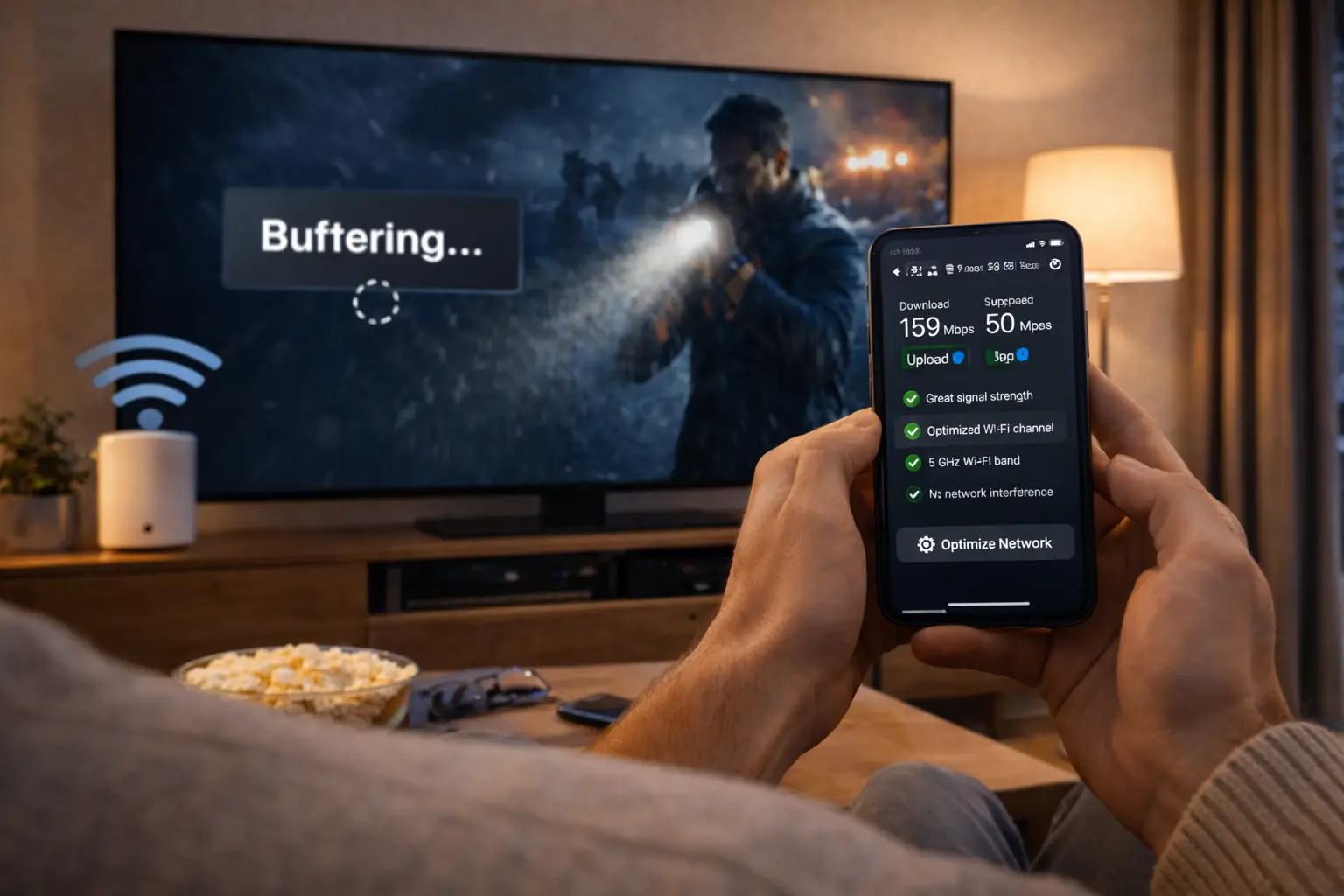
The single most useful thing a first month tells you is whether your connection holds up in the evening. A line that is quick at noon may slow when the whole street is online. The figures below are what one screen needs, steadily, at the moment you watch.
Steady speed needed for one screen

A speed test that counts
- Run it on the device that plays, or on a phone held right next to it.
- Run it on a weekday evening, at your usual viewing hour.
- Run it three times and keep the lowest result.
- Compare it with the figure for the quality you want.
- Repeat with a cable if the device has a network port.
If the lowest evening result sits above the figure for your quality, your line is ready, and a longer plan will behave the same way. If it dips below, you have learned something valuable before committing: you may need a cable, a better router position or a lower quality at busy hours. Those are cheap fixes, and a month gives you time to try them. Our IPTV buffering guide explains each one.
Remember that needs add up. If support has arranged a second simultaneous screen for you, a 4K TV and a Full HD bedroom TV together need 40 Mbps, before anyone else in the home goes online.
A test plan for each screen in the home
Most homes have more than one screen where IPTV could play: the main TV, a bedroom TV, a tablet, a phone. The login works on all of them, one at a time. A month is the moment to check each one, so you know which screens to rely on before a longer plan.
| Screen | What to test | What a good result looks like |
|---|---|---|
| Main TV | Live channels at peak hours, a full film, the programme guide | No pauses in the evening, guide times correct |
| Bedroom or basement TV | The same channel as the main TV, at the same hour, on another evening | Same smoothness despite the distance from the router |
| Tablet | A series episode while moving between rooms | No drop when you change rooms |
| Phone | Installing the player and logging in with the same details | Login accepted, playback starts when the TV is off |
| Switching screens | Stop on the TV, exit the player, start on the tablet | The second screen plays after a short moment |
The last row matters more than it looks. Each pack includes 1 simultaneous connection, and the month is the time to teach the household how switching works. If someone opens the player on a phone while the TV is playing, one of them stops. That is the rule, not a fault, but it is better learned in the first week than discovered on a busy evening. If your home needs two screens at the same moment, ask support through the contact page for the conditions and the price.
Testing the guide, the catalogue and the language
A good picture is only part of the test. The month should also tell you whether the service fits how you watch: whether you can find things, whether the guide is useful, and whether the content you care about is there.
Beyond the picture
- The programme guide loads and shows the right local times.
- Favourites are easy to set and stay saved.
- Search finds the series and films you look for.
- The content you care about is in the catalogue.
- The language you need is available, as support confirmed before you ordered.
If the programme guide shows the wrong times, the cause is usually the device’s time zone or the player’s time shift setting, not the service. It takes a moment to fix. Our TV guide setup page explains it. If the guide is empty, refresh it from the player’s settings and give it time to load.
For content, be specific. Make a short list of what your household watches most, and look for each item during the first two weeks. The catalogue includes French-language and international content. If you need a specific language, the right moment to ask support is before you order, so the month confirms what you were told rather than surprising you. What this means for you: a month spent checking your own list is worth more than any catalogue figure.
Reading your results at the end of the month
In the last week, gather your notes. The decision is easier than it seems, because a month of real use leaves only three kinds of result.
The four questions to answer
Did the main screen play smoothly at busy hours? Did the guide, search and favourites work for you? Was the content you care about there? Did the household manage the one-screen rule? Four yes answers point to a longer plan. A no on the first question points to your line or Wi-Fi, which you can usually fix. A no on the third points to a different pack, or to a question for support.
If everything worked, the 12-month IPTV subscription gives the lowest cost per month, and the 3-month and 6-month durations sit in between. If one thing held you back, such as pauses in the evening, fix it first. A month that ended with a cable installed or a better router position is a success, and a second month on the improved setup confirms it. If the pack was the issue, switch packs on your next order. If IPTV is not for you right now, do nothing. The access ends on its date, and nothing is charged.
What the month costs you, and what it saves
One month has the highest cost per month of our four durations. That is the honest headline, and it deserves a fair explanation rather than a footnote.
The extra you pay per month on a short plan buys two things. The first is a smaller amount at checkout, which matters if you would rather not commit a larger sum to a service you have not yet seen at home. The second is the right to walk away, or change pack, after four weeks with nothing lost but that month. If the service turns out not to suit your TV, your line or your household, a month is the most you will have spent finding out.
Compare that with the opposite mistake. A 12-month plan bought before testing gives the lowest cost per month, but if your Wi-Fi cannot carry the picture to the bedroom, or the pack is not the right one for your habits, you have committed to a full year on a setup that does not fit. The saving per month does not help if the months are not useful.
The cheapest month is the one you actually watch. The most expensive is the one you paid for and did not use.
Once the month has answered your questions, the reasoning flips. Continuing month after month means paying the premium for flexibility you no longer need. That is when a longer duration makes sense. Our IPTV subscription price guide shows how to compare durations by cost per month on the product pages, and the figure at checkout is always the one you pay.
Ordering month after month
Some households keep a monthly plan indefinitely. That is allowed, and for some it is the right choice. It is worth knowing what it involves before you settle into it.
The upside is control, and it is real. Every month is a fresh decision. You can pause in a busy month at work, switch packs when your habits change, or stop without any formality. Nobody has to remember to cancel anything, because there is nothing running in the background.
The downside is cost and attention. Over a full year, a series of monthly orders costs more than one longer plan of the same pack, because one month has the highest cost per month. And since nothing renews, you must place each order yourself before the access ends. Miss the date, and the screen stops on the day it ends, possibly in the middle of a film.
There is also a small practical cost: each new order may bring new details, which means updating the profile in your player. It takes a moment, but it is a moment every month. Households that dislike that routine usually move to a longer duration once they are sure, and come back to a single month only for a stay away or a new device.
- Set a recurring calendar reminder a few days before each end date.
- Order before the last evening, so the new access is ready in time.
- Keep each access e-mail in one folder, so the latest details are easy to find.
- Update the player profile if the new details differ from the previous ones.
- Every few months, compare your total spend with a longer duration on the product page.
Deep dive: when monthly makes sense for the long run
A monthly rhythm suits homes whose viewing changes sharply from month to month, such as shift workers, people who travel for work for weeks at a time, or households that only watch in the colder months. For them, paying the highest cost per month during the months they watch can still cost less than a long plan that covers months they do not. If your viewing is steady through the year, a longer duration is almost always the better value. Compare the totals on the product pages before deciding.
When a problem appears during the month
A first month is meant to surface problems while there is time to solve them. If something does not work, it is not a sign the month is wasted; it is the month doing its job. Most issues have a quick first check, and support is there 7 days a week for the rest.
| What you notice | First check | Guide to read |
|---|---|---|
| Pauses at busy evening hours | A cable, or one quality level lower | IPTV buffering |
| The player refuses the login | Copy the details again from the e-mail | IPTV can’t connect |
| Sound but no picture | Switch the player’s decoder | IPTV black screen |
| It stopped when someone else started watching | Close the player on the other screen | The connection rule |
| The guide shows wrong times | The device’s time zone | TV guide setup |
Write to us early rather than late. A problem reported in the first week can be solved and retested well before the month ends. The same problem reported on the last evening leaves you deciding about a longer plan without knowing whether the fix worked. Give us your device, your player and what you see, and we take it from there.
What this means for you: a month with one solved problem is a better test than a month with none, because you have seen how support handles it. That is part of what you are judging.
Short stays, moves and temporary homes
A monthly IPTV subscription is the natural fit for any stretch of life with a clear end. Cottage weeks, a seasonal rental, a work posting in another city, a student flat for a term, the weeks around a move. A long plan would outlast the stay or be judged on a setup you are about to leave.
A few points make a short stay go smoothly. Check the internet at the temporary address before you order, because rural lines and shared building networks vary widely. Bring or install a supported player on the device you will use there. If the place has a smart TV, check that a supported player exists in its official app store. And remember that the connection rule follows the login: if the TV at home is still on with the player open, it may hold your only connection.
Moving house: order one month for the weeks around the move, then test the new line on a weekday evening once you are settled. When you know the new rooms, the new router position and the new evening speed, choose the longer plan with confidence.
What this means for you: match the plan to the stay, test the line where you will watch, and keep the home screens off while you are away.
Mistakes to avoid on a monthly IPTV subscription
Most disappointments with a short plan come from how the month was used, not from the plan itself. These are the ones we see most often.
Watch the end date. Your access stops at the end of the month. We do not charge you again, so nothing restarts on its own. Note the start date the day your access arrives, and set a reminder in the last week. A gap on a busy evening is the most common regret we hear about monthly plans.
- Waiting a week before setting up, and losing a quarter of the test.
- Testing only at quiet hours, then meeting pauses on the first busy evening of a long plan.
- Judging 4K on a screen or line that cannot show it, then blaming the pack.
- Never opening the programme guide until the month has ended.
- Checking the second TV while the first is still playing, and mistaking the connection rule for a fault.
- Buying a player licence before checking which players exist for your device.
- Ordering a 12-month plan on the last evening without reading your notes.
Avoid these, and one month gives you a reliable answer. If anything is unclear during the month, write to us. Support answers 7 days a week by e-mail and WhatsApp at +33 6 44 65 43 13, in English and French. Our list of questions to ask an IPTV provider is also useful during the month, to check that what you were told matches what you see.
One-month words, explained
These terms appear on the product page, in your access e-mail and in this guide.
- Monthly plan
- One pack for one month, paid once. The shortest of our four durations.
- Cost per month
- A plan’s total divided by its months. Highest on 1 month, lowest on 12.
- End date
- The day your month of access ends. Nothing renews after it.
- Peak hours
- Weekday evenings, when home lines and local networks are busiest. The hours to test.
- Simultaneous connection
- One stream playing at a given moment. Each pack includes one, whatever the duration.
- Access e-mail
- The message with your Xtream Codes details or M3U link, sent within minutes of payment.
- Playlist profile
- The saved login inside your player. Update it if a new order brings new details.
Related guides
These pages help before, during and after your first month.
Questions before your first month
Tell us your device, your player and what you want to watch. We answer 7 days a week by e-mail and WhatsApp, in English and French.
FAQ
Does a monthly IPTV subscription renew by itself?
No. You pay once for one month. When the month ends, access stops and nothing is charged. You place a new order if you want to continue.
Is the catalogue smaller on a 1-month plan?
No. For a given pack, the catalogue is the same whatever the duration. Only the length of access changes.
Can I switch to a 12-month plan after my first month?
Yes. When your month ends, order the 12-month duration instead. It gives the lowest cost per month of our four durations.
Can I change pack after one month?
Yes. Each order is separate, so your next order can be any pack and any duration. Nothing carries over from the previous month.
Can I use one monthly plan on two TVs?
You can install the login on both. Only one can play at a time, because each pack includes 1 simultaneous connection. For more screens at once, contact support for the conditions and the price.
How do I pay for a monthly plan?
By card or PayPal, once, in Canadian dollars. There is no contract and nothing to cancel.
When does my month start?
When your access starts, shortly after payment. Note that date the day your access e-mail arrives, so you know when the month ends.
What happens if I forget to reorder?
Your access stops on its end date and nothing is charged. Order a new duration whenever you are ready; the new details arrive by e-mail within minutes.
Is one month long enough to test the service?
Yes, if you set up on day one and test at busy evening hours, on each screen you plan to use. The week-by-week plan on this page spreads the checks over the month.
Which pack should I choose for my first month?
The Premium Pack is a sensible start for most homes. Choose the VIP Premium Pack if series matter most, or the Ultimate 4K Pack if your TV, device and line all handle 4K.