An IPTV subscription 12 months long is the longest plan Northline IPTV sells, and the one with the lowest cost per month. This guide is for households who are thinking about a full year. It explains how the year is priced without quoting amounts, who it suits and who should wait, the checks to run before paying, how to choose a pack you will keep for twelve months, and how to manage the year itself: seasons, moves, new devices and the last weeks before expiry. Each rule is followed by what it means for you, in plain terms.
This page sits under our IPTV subscription overview, which compares every pack and duration. If you have never watched with us before, read the 1-month plan guide first; it explains how to test the service at home before a longer order.
What a 12-month plan is, and what it is not
A 12-month plan is one pack plus a duration of twelve months, bought in a single payment. From the moment your access e-mail arrives, the login works for a year. On the last day of that year, it stops. Nothing is charged afterwards, and nothing has to be cancelled.
It helps to be precise about what a year does not change. A longer duration does not unlock a bigger catalogue: the Premium Pack on 12 months opens the same channels, series and films as the Premium Pack on 1 month. It does not add a second screen. It does not move you up a queue at support, and it does not come with a different set of rules. The year is the same service, paid for in one go, for longer.
What this means for you: the only real question behind a 12-month plan is whether you will watch for a year on a setup that works. If the answer is yes, the year is usually the most economical way to do it. If you are not sure, the rest of this page helps you find out before you pay.
Why an IPTV subscription 12 months long costs less per month
Within each pack, the four durations are priced on a scale. The total rises with the length, but the cost of each month falls. The 1-month duration sits at the top of that scale for cost per month; the 12-month duration sits at the bottom. We do not print amounts in our guides, because prices can change and an old figure in a guide helps no one. See current prices on the plans page and on each pack’s product page.
You can check the scale yourself in a few seconds. Open the product page of the pack you like, note the total for 12 months and divide it by twelve. Do the same with the 1-month total, which is already a monthly figure. The gap between the two numbers is what the year saves you on each month of watching. Our guide to the IPTV subscription price explains this calculation in more detail, with a method to compare any two durations fairly.
Why the year is cheaper per month: one order replaces several. You pay once, we deliver once, and nobody has to process a new order every few weeks. That simpler path is reflected in the lower monthly cost. The trade-off is that you pay the full year at the start, which is why the checks further down matter.
What this means for you: the year is not a discount you have to chase or a code you have to enter. It is simply where the 12-month line sits on the product page. If you know you will watch all year, choosing it is the straightforward way to pay less per month.
Covering a full year: four ways compared
A household that watches all year can cover those twelve months in four ways: twelve 1-month plans, four 3-month plans, two 6-month plans or one 12-month plan. Each path opens the same catalogue for the same pack. They differ in cost per month, in how many orders you place, and in how many chances you get to change your mind along the way.
| Path through the year | Orders to place | End dates to track | Cost per month | Chances to switch pack |
|---|---|---|---|---|
| Twelve 1-month plans | 12 | 12 | Highest | Every month |
| Four 3-month plans | 4 | 4 | Lower | Every season |
| Two 6-month plans | 2 | 2 | Lower still | Halfway through |
| One 12-month plan | 1 | 1 | Lowest | At the end of the year |
| Automatic renewal on any path | None | None | Not applicable | Not applicable |
Read the table from top to bottom as a trade. Each step down lowers the cost per month and removes orders and end dates from your calendar. Each step down also removes a moment when you could change pack, pause or stop. The 12-month plan keeps a single decision point, at the end of the year.
What this means for you: a year suits a household that is happy with its pack and expects to stay with it. If you still change your mind every few weeks about what you watch, a 3-month or 6-month plan keeps more doors open while costing less per month than monthly orders.
Who a year suits, and who should wait
We would rather sell you the right plan than the biggest one. Here is an honest split between the homes for which a year makes sense and the homes for which it is too early.
A year makes sense if
- You have already watched with us, or with a similar service, on the TV you use most
- Your evening speed at that screen is steady and covers the quality you want
- Your household watches most weeks of the year, not only during one season
- You prefer one payment a year to a new order every month
- You expect to stay at the same address, or know the next address has a similar line
Wait before a year if
- You have never tried IPTV on your own device and network
- You plan to move and do not know what internet the new place will have
- You only watch during part of the year, such as the winter months
- Two people in the home often want to watch different things at once
- You need a specific language and support has not yet confirmed it
If you recognise yourself in the right-hand column, the answer is not “never”, it is “not yet”. A first month on your own setup answers most of those doubts. The two-screen question needs a message to support, who can give you the conditions and the price for more simultaneous screens. The language question needs the same message, before you pay anything.
A year is a reward for certainty, not a way to get it. Find out first, then pay for the year.
Signs you are ready for a full year
The usual route to a year runs through a shorter plan first, long enough to see how the service behaves in your home. If you are coming off a 1-month or 3-month plan, use the readiness test below. If every line is true, a year is a safe choice.
- Channels start quickly on your main screen, including at the busiest evening hour.
- The TV guide shows the right programmes at the right times, without daily fixes.
- The player you use has stayed stable through updates of your TV or box.
- Everyone at home understands that only one screen plays at a time.
- You have found the series and films your household actually watches.
- Your router and internet line have not changed recently, and no change is planned.
- You know which inbox holds your access e-mail, and you can find it again.
Two of these lines deserve a word. The guide line matters because time zones confuse many first-time viewers in Canada. If you still adjust the guide by hand, our TV guide setup page shows how to set the device time zone and the player’s time shift once, for good. The player line matters because a player you dislike will not improve over twelve months. If yours irritates you, try another supported player during the shorter plan rather than committing a year to it.
What this means for you: the year should begin on a setup that already works, not on one you hope to fix. A shorter plan is where you fix things; the year is where you enjoy them.
A home check before you pay for twelve months
If you are ordering a year straight away, without a shorter plan first, take a little more care. The steps below are the minimum we suggest. They take one evening and save you from a year on the wrong setup.
- Confirm your device is supported. Samsung and LG smart TVs, Android TV and Google TV boxes, the Fire TV Stick, Apple TV, iPhone and iPad, Android phones and tablets, and PC. Our IPTV devices guide compares them.
- Find a player in the official store. IPTV Smarters Pro, TiviMate, Smart IPTV, IBO Player, XCIPTV or GSE Smart IPTV, installed from your device’s official app store. If the player asks for a publisher licence, check the current price on the app’s official website; we are independent from app publishers.
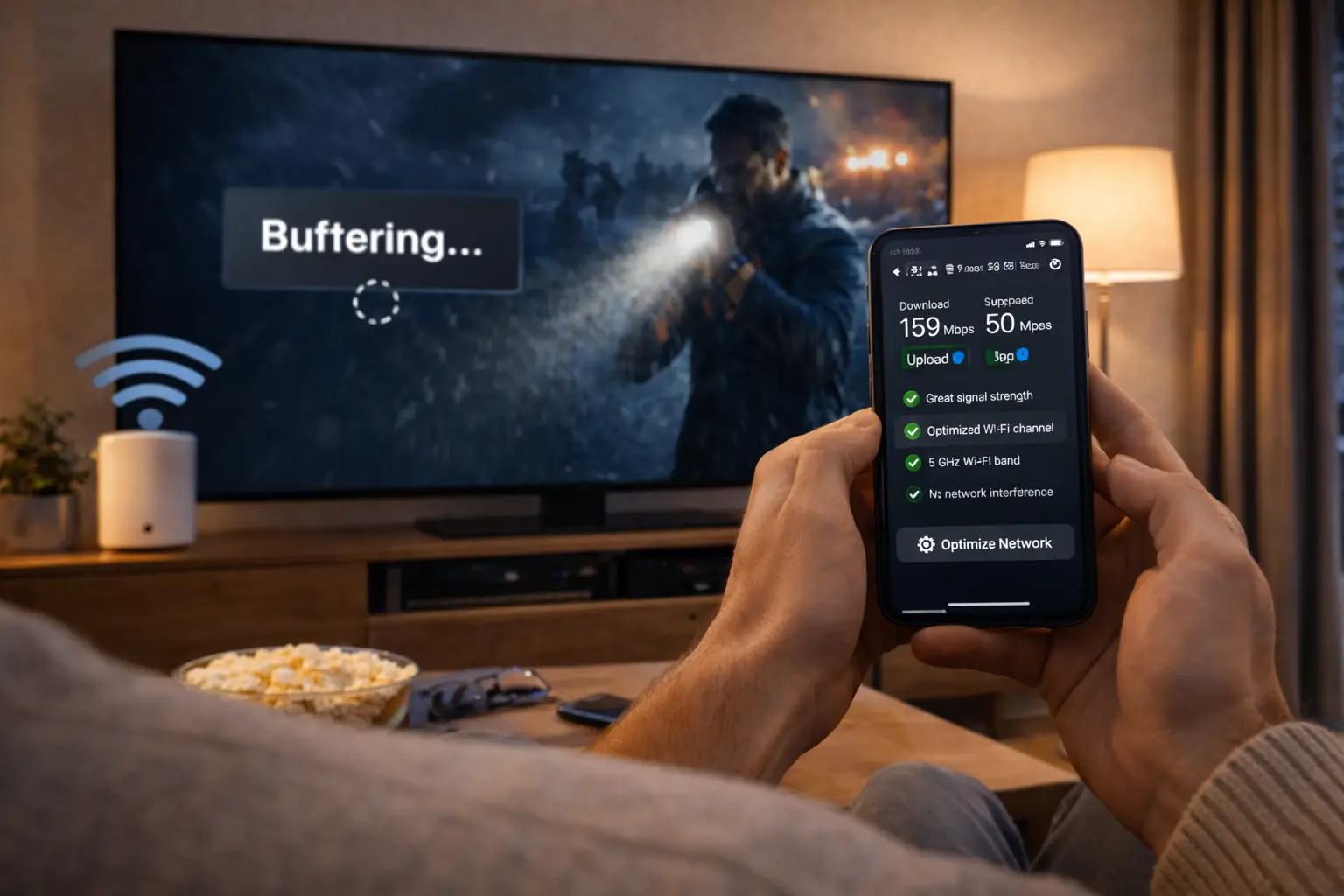
- Test the speed where you watch. Run a speed test on the screen itself, or on a phone held next to it, at the hour you usually watch. Compare the result with 10 Mbps for HD, 15 Mbps for Full HD and 25 Mbps for 4K.
- Ask about language if it matters. The catalogue includes French-language and international content. For anything more specific, ask support before ordering.
- Ask about screens if you need more than one. Each pack includes 1 simultaneous connection. Support gives the conditions and the price for more.
- Choose the inbox carefully. Use an address you will still check in twelve months. Your access details live in that e-mail all year.
Do not judge your line at noon. A speed test in the middle of the day often looks far better than the same line at the evening peak, when everyone in the building or the street is online. If you test only once, test at the time you watch. A year of evenings depends on that figure, not the daytime one.
Speed for a year of evenings
Your line is the part of the setup most likely to change over a year. Speeds can dip when neighbours move in, when a router ages or when the household adds devices. Plan with some room, not with the bare minimum.
Steady speed needed at one screen
These figures are for one screen. If support has set up extra simultaneous screens for your home, add the figures up: a Full HD TV and an HD tablet playing at the same time need 15 plus 10, so 25 Mbps between them, before anyone else in the home uses the line. Video calls, game consoles and cloud backups all share the same connection.
A simple habit helps over twelve months. Run a speed test at the screen once in each season, at the evening hour, and note the result next to your end date. If the figure drifts down, you will see it before it becomes a buffering problem. If it does become one, our guide to IPTV buffering walks through the fixes in order, from router placement to a cable.
What this means for you: a year on 4K needs a line that holds 25 Mbps at that screen in every season, not only on the day you order. If your line sits close to the limit, a pack chosen for Full HD viewing is the calmer choice for a year.
Choosing a pack you will keep for a year
On a 1-month plan, picking the wrong pack costs a month. On a year, it costs twelve. So the pack deserves more thought than the duration. All three packs come in a 12-month version, and all three follow the same rules.
VIP Premium Pack
- 27,000+ live channels
- 61,000+ series
- 155,000+ films
- HD, Full HD and 4K
Ultimate 4K Pack
- 57,000+ channels in 4K
- 47,000+ series
- 179,000+ films
- 20 servers in Europe
Think about the year as a whole rather than the next few weeks. A household that mostly watches live channels and the odd film may find the Premium Pack more than enough for twelve months. A household that follows several long series, one after another, through the winter, will feel the depth of the VIP Premium Pack, which has the largest series library of the three. A household with a 4K TV, a 4K device and a line with room to spare can make full use of the Ultimate 4K Pack, which also has the largest film library.
If you are unsure between two packs, there is a simple way to settle it: take the smaller one on a shorter plan first, see whether you run out of things to watch, and choose the year accordingly. If you need a specific language, ask support before ordering any pack for a year.
| What your year looks like | Pack to look at first | Why it holds up over twelve months |
|---|---|---|
| Live channels most evenings, a film at the weekend | Premium | A large live line-up without paying for depth you will not use |
| Several long series followed one after another | VIP Premium | The largest series library, so the winter backlog does not run dry |
| Films first, on a 4K screen with a strong line | Ultimate 4K | Built around 4K channels, with the largest film library |
| Mixed tastes in one home, one screen at a time | VIP Premium | Breadth across live, series and films for different people |
| A specific language you cannot do without | Ask support first | We confirm before you pay rather than guess for a whole year |
Matching the pack to the screen
Your main screen sets the ceiling. Choose a pack whose strength that screen can actually show.
- An HD or Full HD TV: Premium or VIP Premium, both with HD, Full HD and 4K content.
- A 4K TV on an older stick or box: check the device handles 4K before choosing a 4K-focused pack.
- A 4K TV, a 4K device and a line that holds 25 Mbps: the Ultimate 4K Pack can show its strength.
- Mostly a phone or tablet: the larger catalogues matter more than 4K.
What stays the same on an IPTV subscription 12 months plan
A year with us follows exactly the same rules as a month with us. Nothing is added, and nothing is taken away. These are the points that stay identical whatever duration you choose.
One payment
The whole year is paid at checkout, in Canadian dollars, by card or PayPal. No instalments follow.
No renewal
When the year ends, access stops. We do not charge you for a thirteenth month or a second year.
No contract
There is nothing to sign and no notice period. The year you buy is the whole commitment.
1 connection
One stream at a time, on any of your own devices. More screens only on request through support.
Access by e-mail
Xtream Codes details or an M3U link, sent within minutes of a confirmed payment.
Same support
7 days a week, e-mail and WhatsApp, English and French. A year does not change the queue.
What this means for you: choosing a year does not lock you into anything beyond that year. You will never see a renewal charge, because none exists. Our full list of rules, with what each one means in practice, is on our commitments as a provider page.
One connection, all year long
Every pack includes 1 simultaneous connection, and a year does not change that. Over twelve months, the rule matters more than over one, because household habits shift: children grow into their own screens, a partner starts watching on a tablet in bed, a guest stays for the holidays.
The rule counts playback, not installs. You can install your login on the living-room TV, the bedroom box and your phone. If two of them play at the same moment, the streams conflict and one of them stops. That is the rule working, not a fault. If your home needs two screens at once, write to support before ordering a year; they give the conditions and the price for your case.
A year also makes one more point important. Your login belongs to your household. Lending it to a relative in another home is not allowed, and in practice it collides with your own viewing every evening. Over twelve months, that becomes a daily irritation for both homes, and the access may end up blocked.
What this means for you: before a year, picture a normal week in your home six months from now. If one screen at a time still fits that picture, the plan fits. If it does not, ask support first, while you can still choose the right setup.
Paying for the year in one go
A 12-month plan is the largest single payment among our durations, so it is worth a moment on how that payment works. You pay once, in Canadian dollars, by card or PayPal, for the full year. There is no deposit and no instalment. The amount at checkout is the whole cost of that plan.

Habits for a larger payment
- Check the pack, the 12-month duration and the currency before you confirm.
- Approve any bank or PayPal confirmation straight away.
- Keep the confirmation e-mail for the whole year.
- Tell anyone who shares the card or account about the charge.
- Never send card details by e-mail or WhatsApp, to anyone.
Because nothing is stored to charge again, there is no card on file that could expire during your year and cause a problem. When the year ends, nothing is attempted. If you want another year, you pay again then, with whatever card or account you use at that time.
Some households set money aside each month towards the next year, the way they would for an insurance premium. That is a personal choice, but it pairs well with a plan that never charges you by itself. Our guide to paying your IPTV provider covers card and PayPal step by step, with the safety habits we recommend for any online purchase.
Not sure a year fits your home
Send support your device, your player and your evening speed. We will tell you plainly whether a year is a good idea, or whether a shorter plan should come first.
Your year, season by season
A year with us does not need managing, but a few small moments make it smoother. Here is how a typical 12-month plan unfolds in a Canadian home, from the access e-mail to the last weeks.
- First evening
Set up and save the e-mail
Enter your details in the player, open a channel, and move the access e-mail to a folder you will find again. Write the end date in your calendar.
- First weeks
Tune the guide and favourites
Fix the guide’s time shift once, build a favourites list per person, and remove profiles you do not use.
- Winter
Long evenings indoors
The heaviest viewing months for most homes. Keep the TV on a cable or on 5 GHz Wi-Fi near the router.
- Spring
Check the setup
Update the player from the official store, run an evening speed test and clear old recordings or lists.
- Summer
Cottage, travel, quieter evenings
Watch elsewhere if you wish, on one screen at a time. Test the speed at the new place before choosing 4K there.
- Final month
Decide on the next plan
Same pack or another, same length or shorter, or a pause. Nothing happens unless you order.
None of these moments is required. The plan works whether you follow them or not. They are simply the habits we see in homes that have the fewest problems over a year. Two of them matter most: saving the access e-mail on the first evening, and writing the end date in a calendar. Almost every end-of-year surprise comes from skipping one of the two.
What this means for you: a year is mostly quiet. Spend a few minutes at the start and a few at the end, and the months in between take care of themselves.
Planning for change on an IPTV subscription 12 months long
A lot can change in a year. New TVs arrive, routers fail, people move, phones are replaced. Your login is not tied to an address or a single device, so most changes need only a few minutes in a player. Here are the situations we see most often.
Your login is not tied to an address. Install your player on your device in the new home and log in again with the same details.
Then: test the new line in the evening before you watch in 4KInstall a supported player from the official store on the new device and enter the details from your access e-mail.
Then: remove the login from the old device if someone else will use itReconnect the TV or box to the new network. The login itself does not change.
Then: run an evening speed test at the screenInstall your player again from the official store and log in. Nothing on our side needs to change.
Then: check you can still open the access e-mail on the new phoneA new partner or a child with their own screen can share the login, one screen at a time.
Then: ask support about more simultaneous screens if neededWrite to support with your current pack and the one you would like.
Then: support explains the options for your orderThe one change that needs real care is a move to a place with a weaker connection, such as a rural property or a building with a shared network. If you have chosen the Ultimate 4K Pack, a new line that cannot hold 25 Mbps at the screen will show its limits. In that case, watch in Full HD where the player allows it, or ask support what they suggest for your situation. Our help centre lists the first checks for any problem that appears after a change at home.
Looking after your login for twelve months
On a monthly plan, a lost e-mail is a small nuisance. On a year, the same details have to stay safe and findable for twelve months. A little care at the start avoids a frantic search on a busy evening.
Many players show the expiry date in their account or profile screen. Naming the profile after the plan helps when you reorder.
- Keep the access e-mail in a dedicated folder, not just in the inbox.
- Store the details in a password manager if you use one, not in a shared note.
- Do not post a screenshot of the login screen anywhere, even to ask for help.
- When you write to support, send your order e-mail address rather than the password.
- If you think someone outside your home has your details, write to support straight away.
What this means for you: your login is the key to a year of access. Treat it like the key to a storage locker you rent for a year: one copy for the household, kept somewhere safe. If something goes wrong with it, our guide to login problems explains each error message and the fix that goes with it.
When the twelve months end
Because nothing renews, the end of a year is quiet. On the end date, the login stops working and the player shows an expired or authorisation message. No payment is attempted and nothing is charged. If you want to continue, you choose again, as if ordering for the first time.
The end of a year is also the best moment to rethink the plan. Ask three questions. Did we use the pack fully, or would a smaller one have done? Did the single connection fit our habits, or did we keep running into it? Did anything change at home, such as a new TV or a slower line? The answers might lead you to another year on the same pack, a different pack, or a shorter plan while life settles.
If you reorder and the new details differ from the old ones, update the profile in each player and delete any profile that still holds the expired details. Players sometimes try an old profile first, which looks like a login error. Our guide to activation covers what happens between your payment and the new e-mail.
Mistakes to avoid on an IPTV subscription 12 months long
Most regrets about a year come from a handful of choices made too quickly at checkout. Here are the ones we see most, so you can avoid them.
Do not choose a year to fix a setup that does not work yet. A longer plan does not make a weak Wi-Fi signal stronger or a slow stick faster. If channels already struggle on a shorter plan, solve that first, with a cable, a better router position or another device, then choose the year.
- Ordering a year before ever testing the service on your own TV and line.
- Choosing the Ultimate 4K Pack for a screen or line that cannot show 4K.
- Assuming a year includes more screens or more content than a month. It does not.
- Using an e-mail address you may lose access to during the year, such as a work address.
- Forgetting to write down the end date, then losing access on a busy evening.
- Paying for a player licence before checking that the player runs well on your device.
- Ordering a year for a language you need without asking support first.
- Planning to share the login with another household to split the cost.
What this means for you: one evening of checks and one calendar note remove almost every risk on this list. If you want a second opinion before paying for a year, send support your device, your player and your evening speed, and we will answer plainly.
Year-plan words, explained
These terms appear on product pages, in your access e-mail and in our replies about longer plans.
- Duration
- How long your access lasts. We sell 1, 3, 6 and 12 months.
- Cost per month
- The total for a plan divided by its number of months. Lowest on the 12-month duration.
- Up-front payment
- Paying the whole plan at checkout. On a year, that is the full twelve months at once.
- End date
- The day your access stops. Nothing renews after it.
- Expired login
- What a player shows once the end date has passed. It is not a fault; the plan has simply ended.
- Profile
- The saved set of details in your player. One per plan keeps things tidy when you reorder.
- Simultaneous connection
- One stream playing at a given moment. Every pack includes one, whatever the duration.
- Readiness test
- Our name for the checks that show a home is ready for a longer plan.
Related guides
These pages answer the questions that usually come up while choosing a year.
Ready for a full year
The VIP Premium Pack has the largest series library of the three packs. Choose the 12-month duration on its page and see the current price there.
FAQ
Is the 12-month plan cheaper than twelve monthly plans?
Per month, yes. The 12-month duration has the lowest cost per month of our four durations, and the 1-month duration has the highest. See current prices on the plans page and divide each total by its months to compare.
Will my 12-month plan renew at the end?
No. There is no automatic renewal on any plan. When the year ends, access stops and nothing is charged. You can place a new order if you want to continue.
Does a year give me more channels than a month?
No. For a given pack, the catalogue is the same on 1, 3, 6 and 12 months. The year only changes the length of access and the cost per month.
Can I use my 12-month plan on more than one TV?
You can install the same login on several of your own devices. Each pack includes 1 simultaneous connection, so only one plays at a time. For more screens at once, contact support for the conditions and the price.
What happens if I move house during the year?
Your login is not tied to an address. Install your player at the new home, log in with the same details and test the evening speed at the screen before choosing 4K there.
Can I pay for a year with PayPal?
Yes. You pay once by card or PayPal, in Canadian dollars, for the whole year. There is no contract and no stored payment.
Should I try a shorter plan before a year?
If you have never watched IPTV on your own device and network, yes. A 1-month plan lets you check everything at home. When it ends, you can choose a year with confidence.
Can I change pack during my 12-month plan?
Write to support with your current pack and the one you would like; they explain the options for your order. You can also choose a different pack when the year ends.
How do I know when my year ends?
Note the date when you order. Many players also show an expiry date in their account or profile screen. If in doubt, ask support with the e-mail address you used to order.
Is a player licence included in the 12-month plan?
No. When a player asks for a licence, its publisher sells it. We are independent from app publishers, so check the current price on the app’s official website.